Yes, AI Assistant is a Free feature and is included in SupportCandy.


Enhance your support workflow with the AI Assistant, designed to help agents grasp ticket context instantly and write superior responses. Simply upload your company PDFs, text files, and URLs to build a tailored knowledge base. The AI uses this data, alongside full past ticket histories, to offer quick summaries and polished draft replies. Agents can iteratively refine these responses with follow-up prompts, while administrators can set custom prompts to enforce brand voice and support guidelines across the entire team.
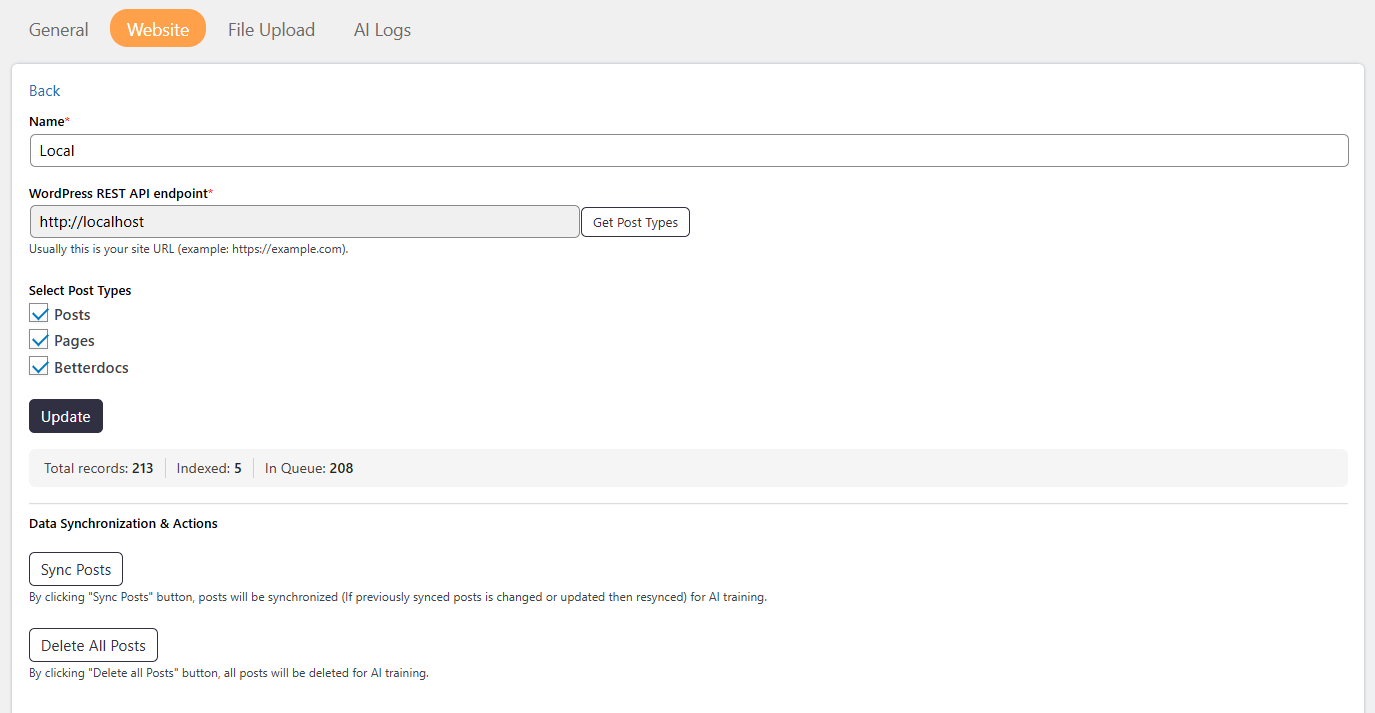
AI Training allows the system to learn from your knowledge base to provide more accurate responses. It uses RAG (Retrieval-Augmented Generation) to fetch relevant information instead of relying only on AI predictions. This ensures replies are based on real data from your system. You can control what data is used and keep it updated with simple sync options. All sensitive information (PII) is automatically removed during training.
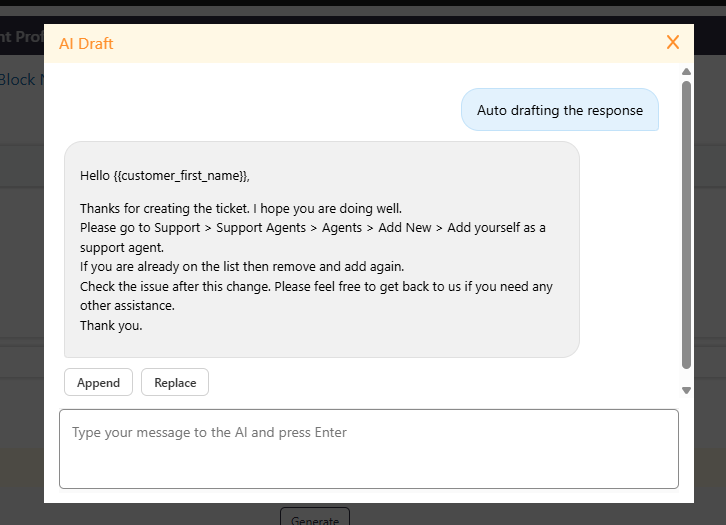
Auto-Draft Replies instantly generates complete response suggestions based on your documents (PDFs, text files, and URLs), knowledge base integration. By understanding the full context, the AI creates a ready-to-use draft so agents can review, edit, and send in seconds. This significantly speeds up ticket resolution while maintaining high response quality.
The Ticket Summary feature helps agents quickly understand a ticket by generating a concise overview of the entire conversation. It highlights key points and also detects customer sentiment (Happy, Neutral, or Unhappy), giving better insight into the situation. This saves time, improves agent handovers, and enables faster, more informed, and empathetic responses.
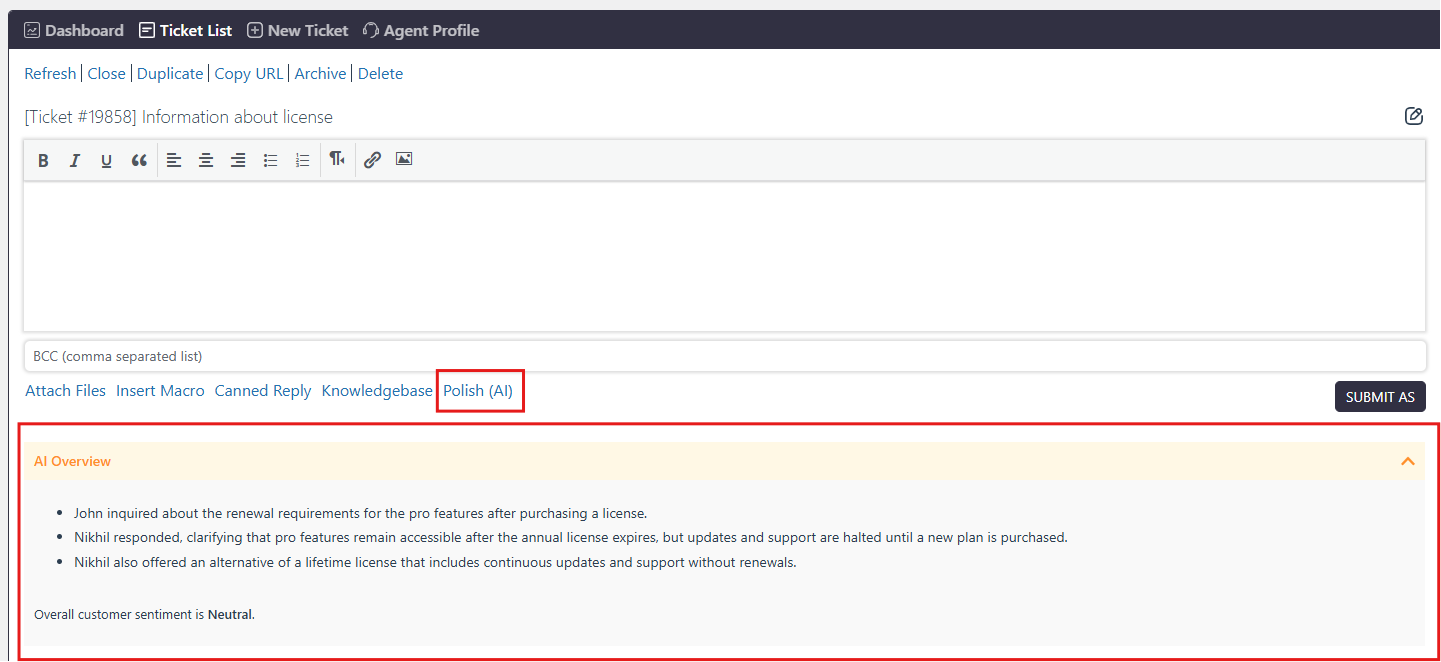
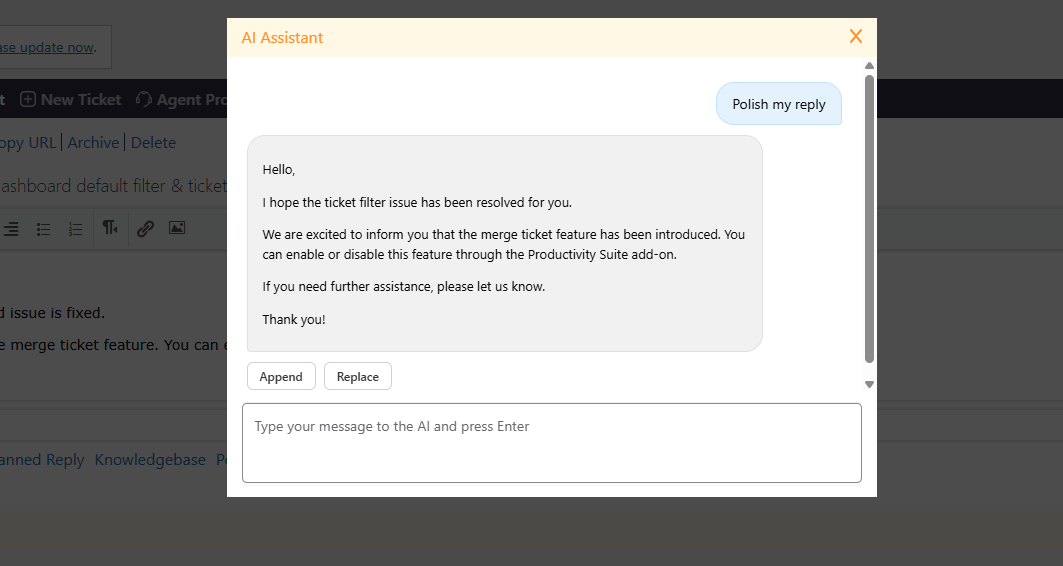
The Polish Reply feature helps agents enhance their responses by automatically improving grammar, clarity, and tone to sound more professional and friendly. It uses the full ticket history to generate more accurate and relevant replies, ensuring better communication. Agents can refine responses by sending multiple prompts until satisfied, without rewriting manually. With support for custom prompts (defined by admins in settings), admins can control the writing style, helping maintain consistent and high-quality communication across the team.
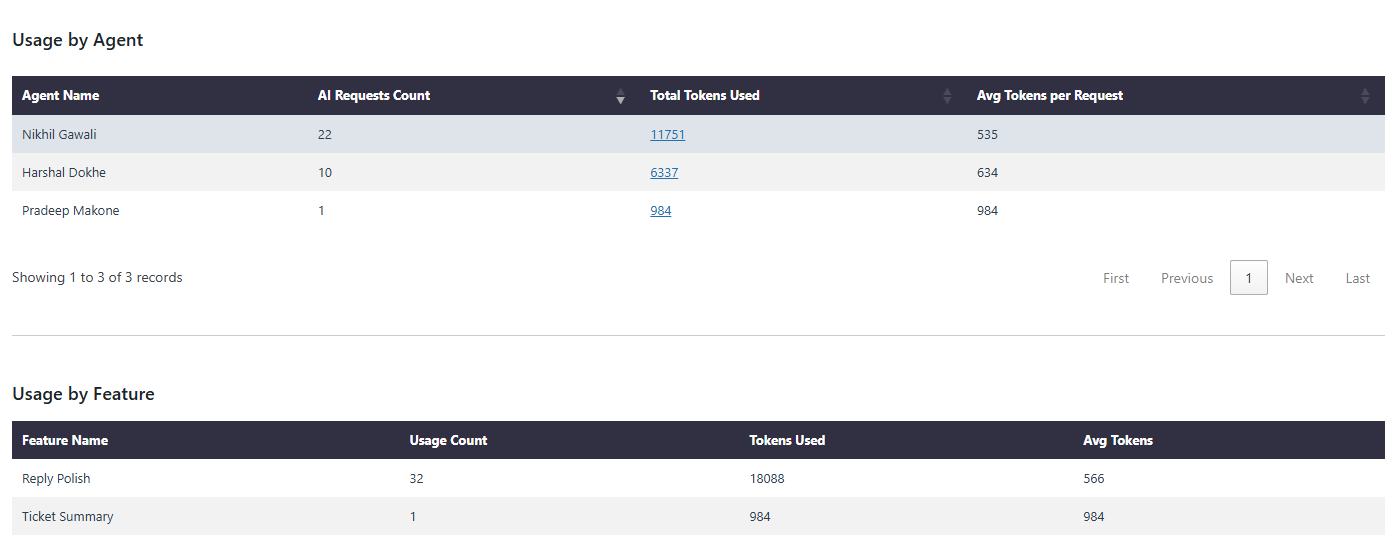
AI Assistant also provides detailed usage reports to help you monitor and optimize performance. Track usage by agent to understand how effectively your team is utilizing AI features. Analyze usage by feature to see which tools, such as ticket summary or reply polishing, are used most frequently. The AI usage trend report gives a clear overview of adoption over time, helping you measure impact and make informed decisions.
Is AI Assistant available in the free version?
Yes, AI Assistant is a Free feature and is included in SupportCandy.
What features are included in AI Assistant?
AI Assistant includes Context-Aware Auto-Drafts, Secure AI Training (RAG), Ticket Summary and Polish Reply, helping agents quickly understand tickets and improve response quality.
It also includes an AI Chatbot Widget for real-time customer interaction and Chatbot Reports to track performance, user satisfaction, and ticket escalation.
Which AI providers are supported?
AI Assistant supports popular providers like OpenAI and Google Gemini. You can choose the provider based on your preference and API access.
Can administrators control AI behavior?
Yes, admins can define custom prompt instructions in settings to control tone, style, and response format based on their support guidelines.
How does AI Assistant generate accurate responses?
AI Assistant uses the full ticket conversation history to understand context and generate more relevant summaries and replies.
Is there any usage limit for AI features?
AI usage depends on your selected provider and their pricing/model limits. The plugin itself does not enforce strict limits but relies on your API plan.