Yes, AI Assistant is a Free feature and is included in SupportCandy.


The AI Chatbot enables automated responses to customer queries, reducing agent workload and improving response time. It stores all conversations as sessions, allowing you to review chats, track user satisfaction, and analyze performance. You can easily monitor how the chatbot is interacting with users and identify areas for improvement. This helps deliver a better and faster support experience.
Requires an AI provider setup with a valid API key to enable chatbot functionality. You also have to train the chatbot using your own data (RAG) to deliver more accurate and context-aware responses.
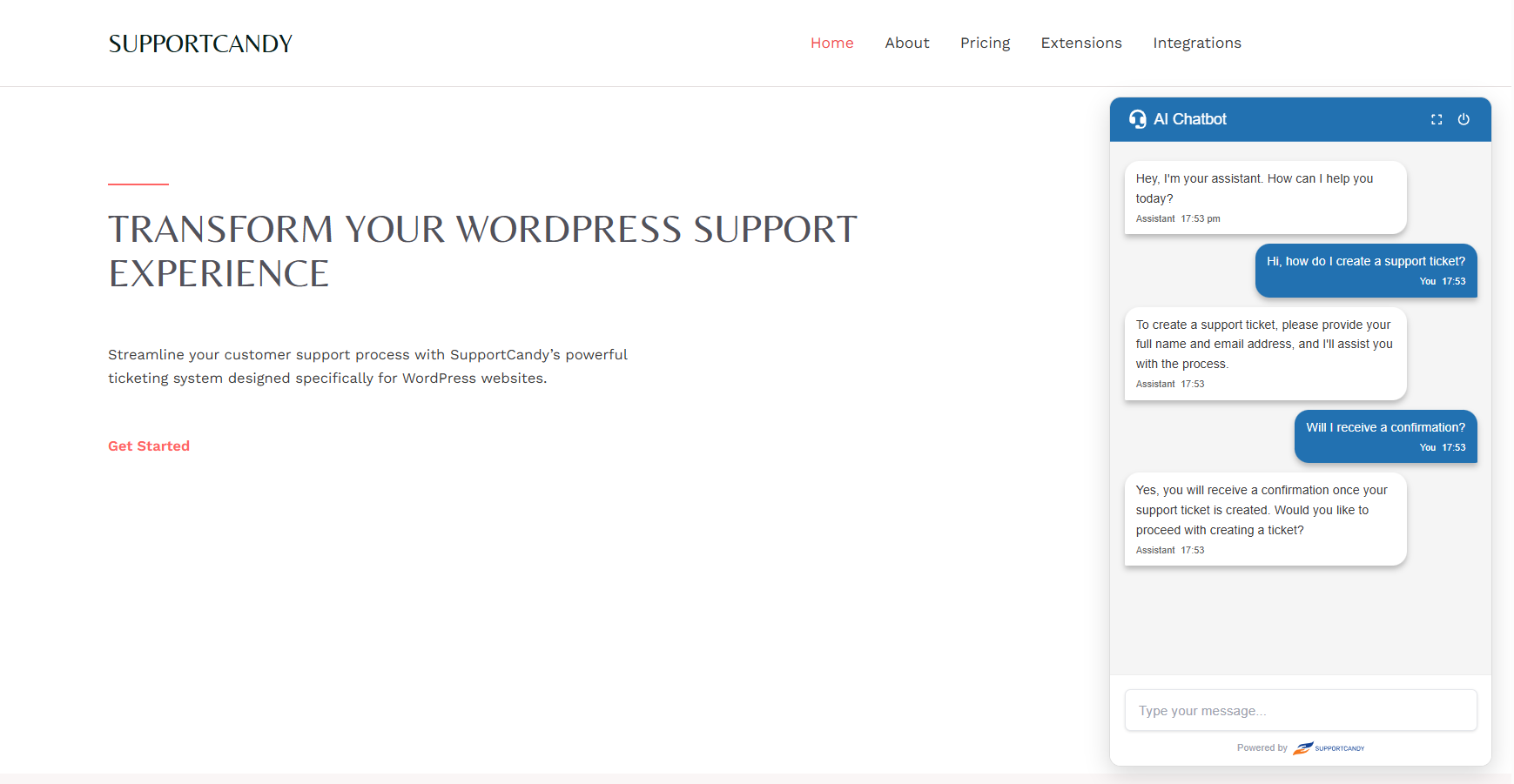
The Frontend Chatbot Widget allows website visitors to interact with your AI assistant in real time.
Visitors can:
This widget helps deliver accurate answers using your backend training data, improve customer engagement, and ensure no query goes unanswered.
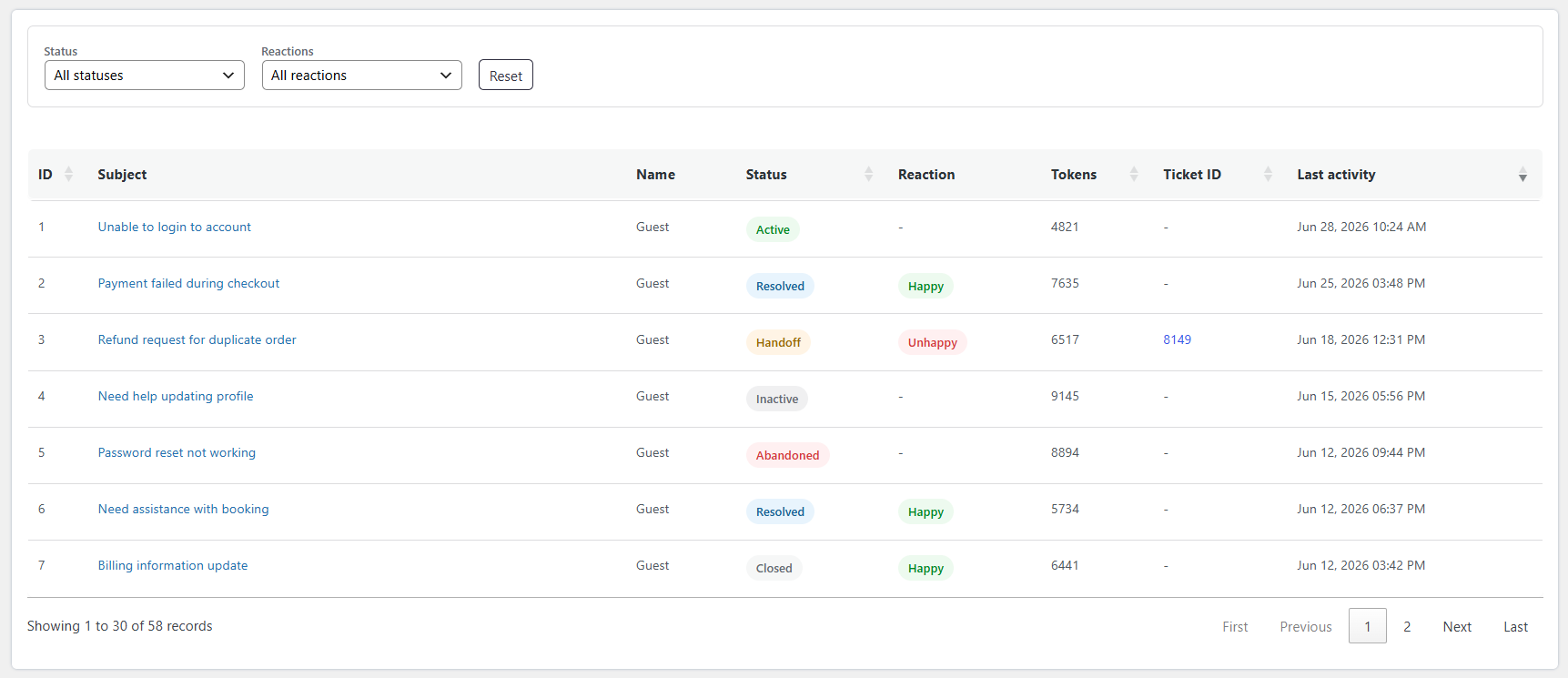
The Chat Sessions List page displays all chatbot conversations in a structured table format.
You can:
This page helps you quickly analyze chatbot performance and track user interactions.
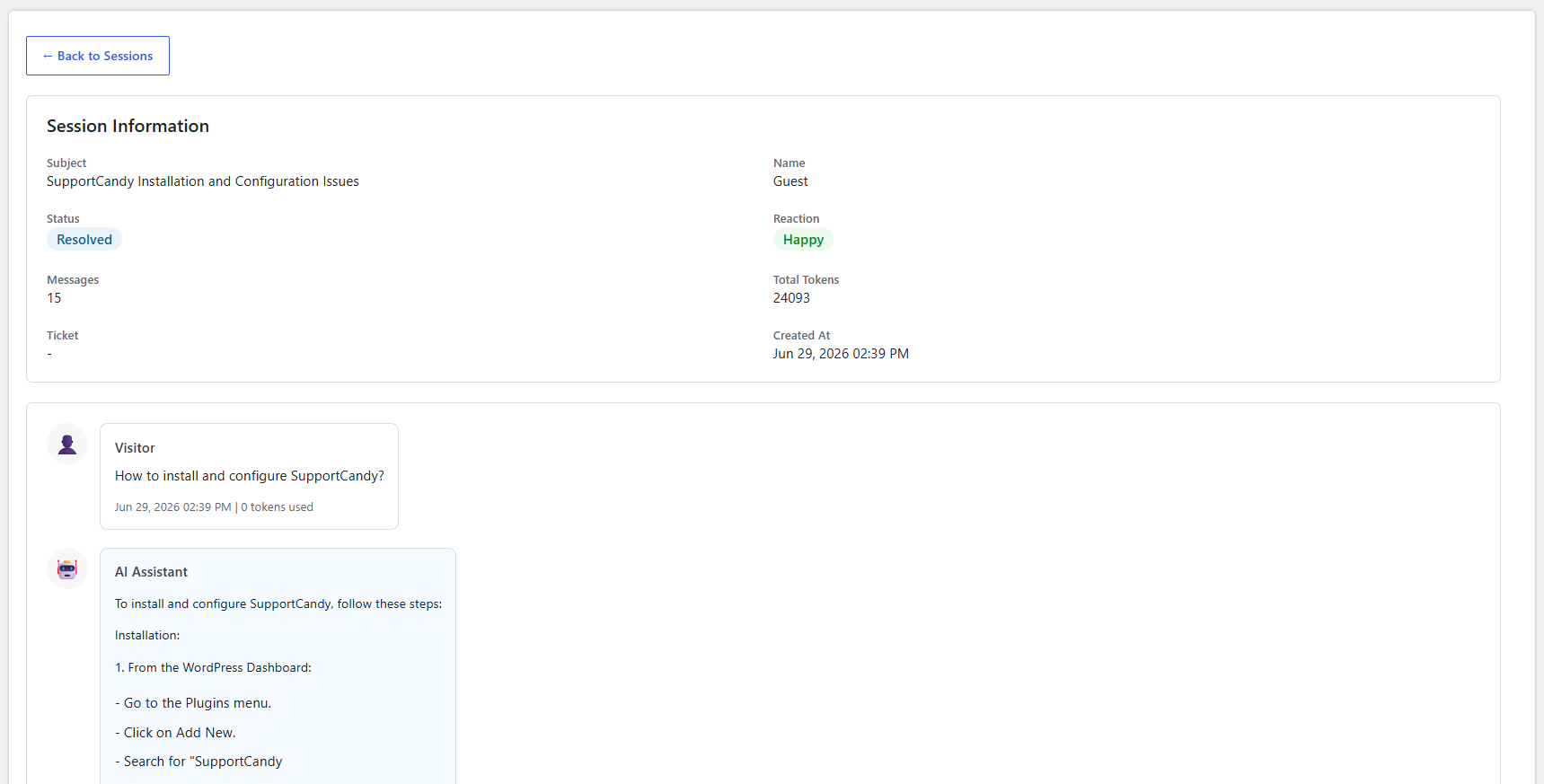
The Single Session Details page shows complete information about a selected chatbot conversation.
You can:
This page helps you deeply analyze individual conversations and improve chatbot accuracy.
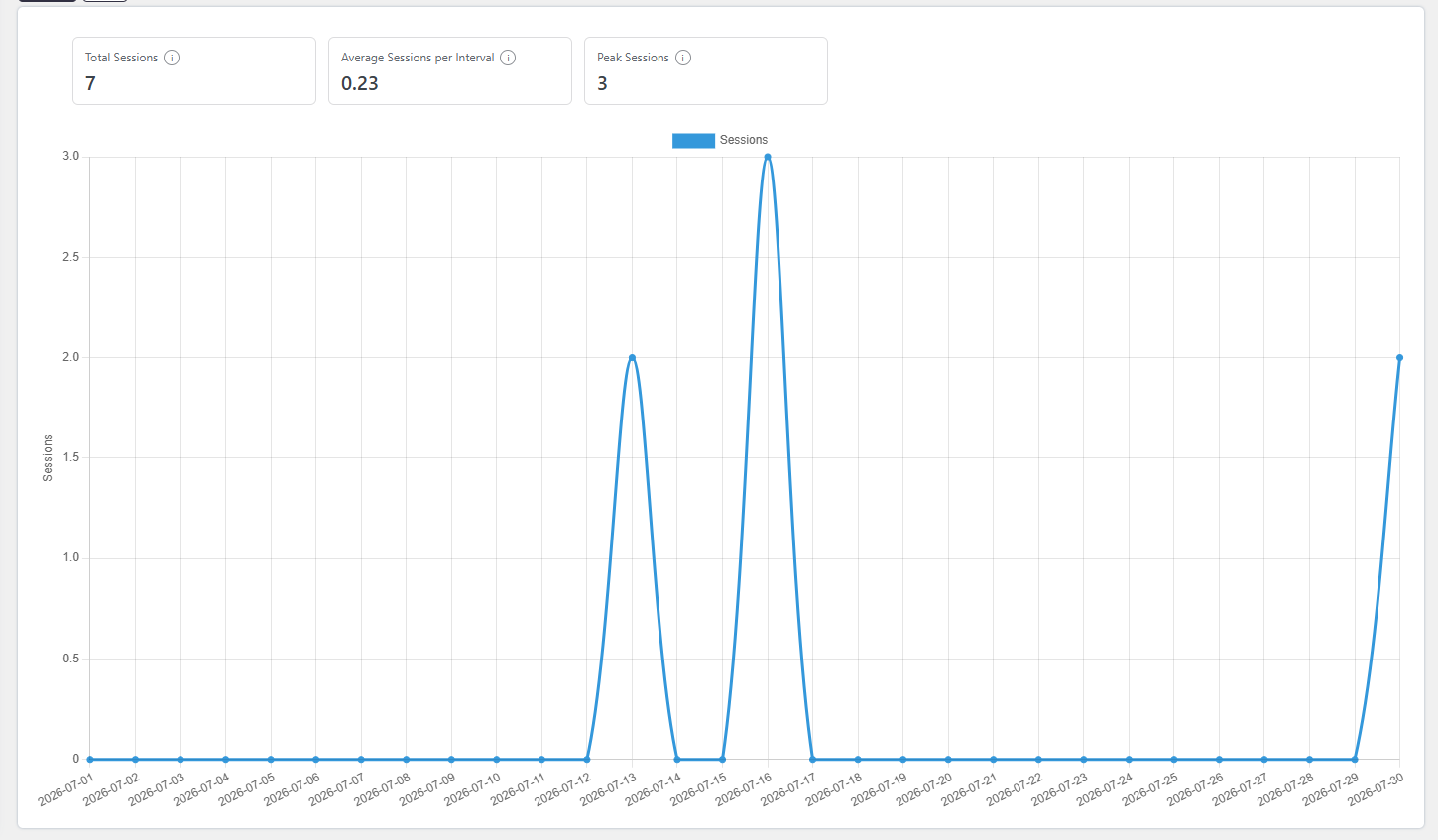
The Chatbot Reports section helps you understand how your AI assistant is performing and how users interact with it.
You can:
These insights help you improve chatbot performance, increase resolution rates, and reduce manual support workload.
Is AI Assistant available in the free version?
Yes, AI Assistant is a Free feature and is included in SupportCandy.
What features are included in AI Assistant?
AI Assistant includes Context-Aware Auto-Drafts, Secure AI Training (RAG), Ticket Summary and Polish Reply, helping agents quickly understand tickets and improve response quality.
It also includes an AI Chatbot Widget for real-time customer interaction and Chatbot Reports to track performance, user satisfaction, and ticket escalation.
Which AI providers are supported?
AI Assistant supports popular providers like OpenAI and Google Gemini. You can choose the provider based on your preference and API access.
Can administrators control AI behavior?
Yes, admins can define custom prompt instructions in settings to control tone, style, and response format based on their support guidelines.
How does AI Assistant generate accurate responses?
AI Assistant uses the full ticket conversation history to understand context and generate more relevant summaries and replies.
Is there any usage limit for AI features?
AI usage depends on your selected provider and their pricing/model limits. The plugin itself does not enforce strict limits but relies on your API plan.