

Enhance your support team’s efficiency with the SupportCandy Productivity Suite, a powerful add-on designed to streamline ticket management and boost productivity. The Productivity Suite includes five essential features:
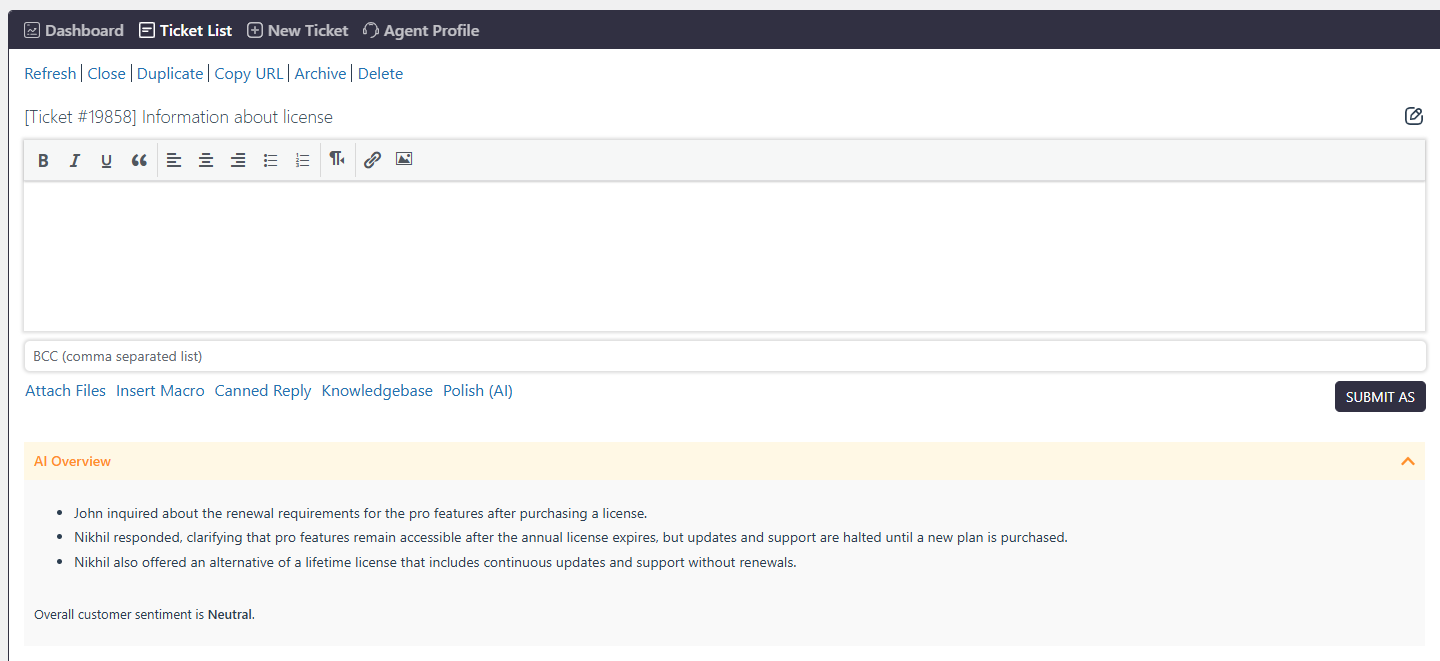
AI Assistant is built to boost agent productivity and elevate the customer experience through three core features:
Instant Ticket Summaries: Catch up on long, complex threads in seconds with AI-generated overviews.
Polished Replies: Refine drafts for perfect grammar, tone, and accuracy using full-thread context. You can iterate with follow-up prompts and seamlessly Replace or Append the text to your editor.
Custom Brand Prompts: Admins can set specific guidelines in settings to ensure every AI-assisted response stays consistent with your unique brand voice.
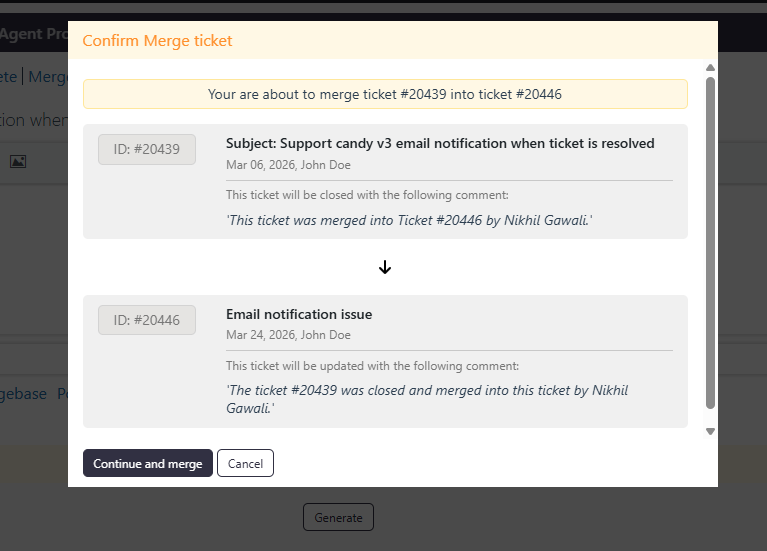
The Merge Ticket feature allows agents to combine multiple tickets from the same user into a single ticket, helping avoid duplicate work and keep conversations organized. Tickets from different users cannot be merged. When tickets are merged, a note is added to both tickets indicating the merge, ensuring clear tracking and transparency.
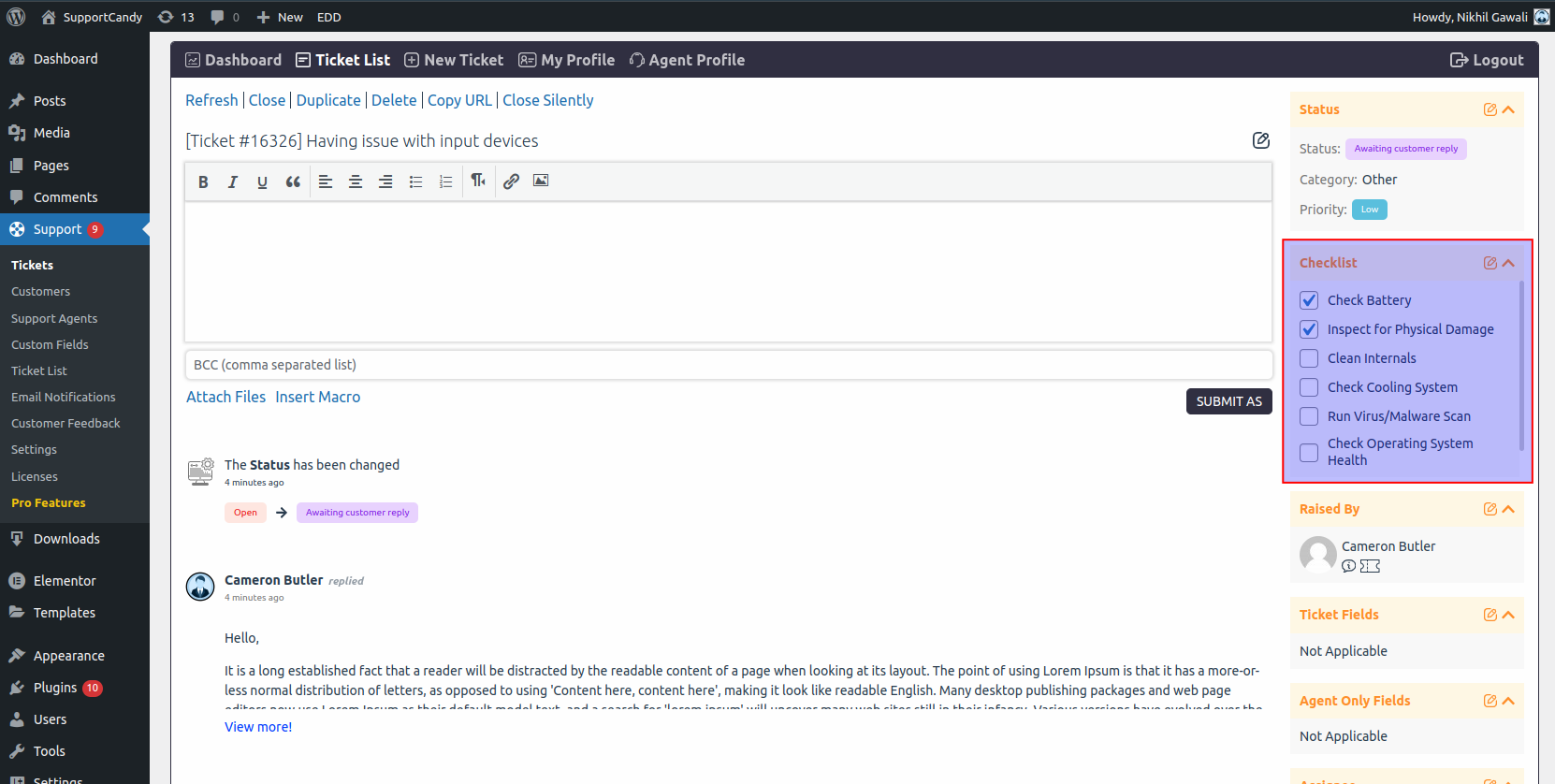
Streamline task management with the Checklist feature. Admins can create checklists and assign them to tickets. Support agents can then mark tasks as complete as they progress through the checklist. This feature helps ensure that all necessary steps are followed and provides a clear overview of what has been accomplished and what still needs to be done. Admins can easily add or remove tasks from the checklist to adapt to changing requirements.
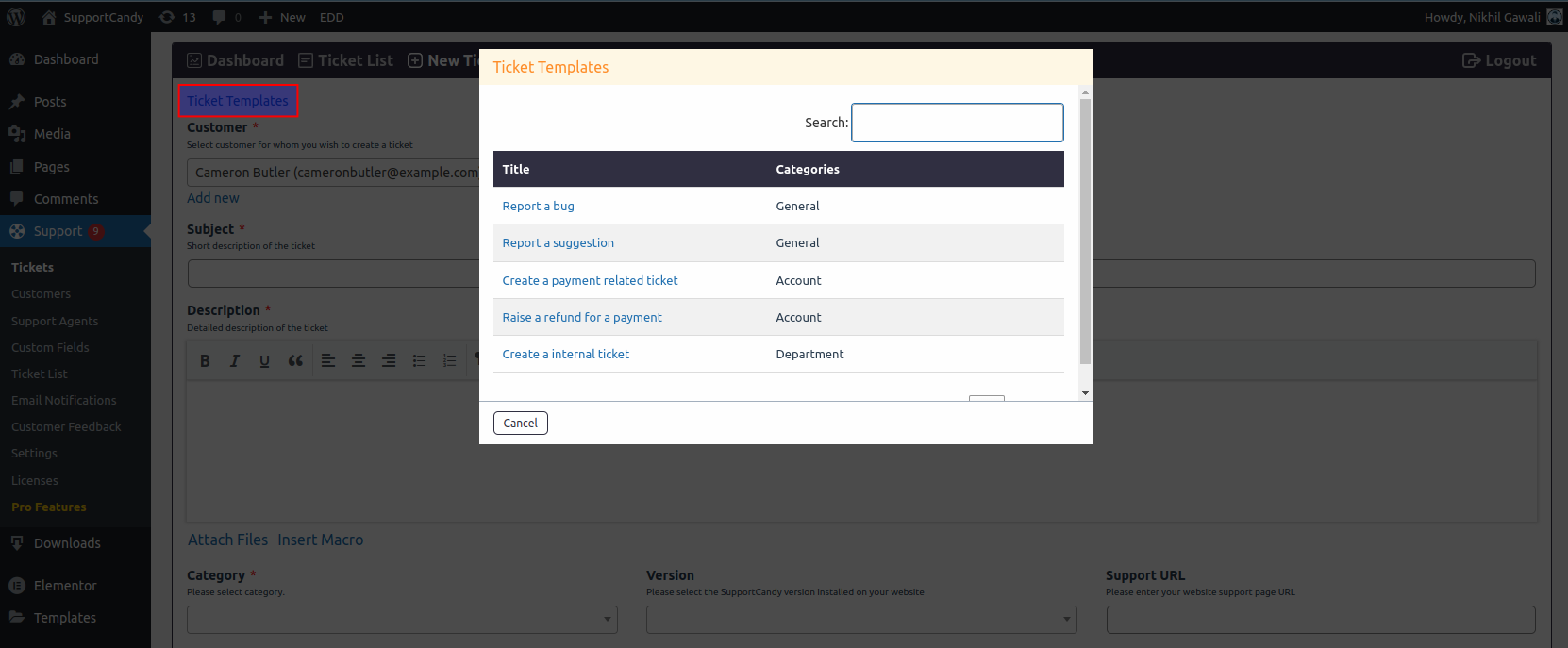
Save time and standardize ticket creation with Ticket Templates. Admins can create and predefine values for ticket fields, enabling users to quickly fill out tickets with consistent information. This feature simplifies the ticket submission process and ensures that all necessary details are captured efficiently.
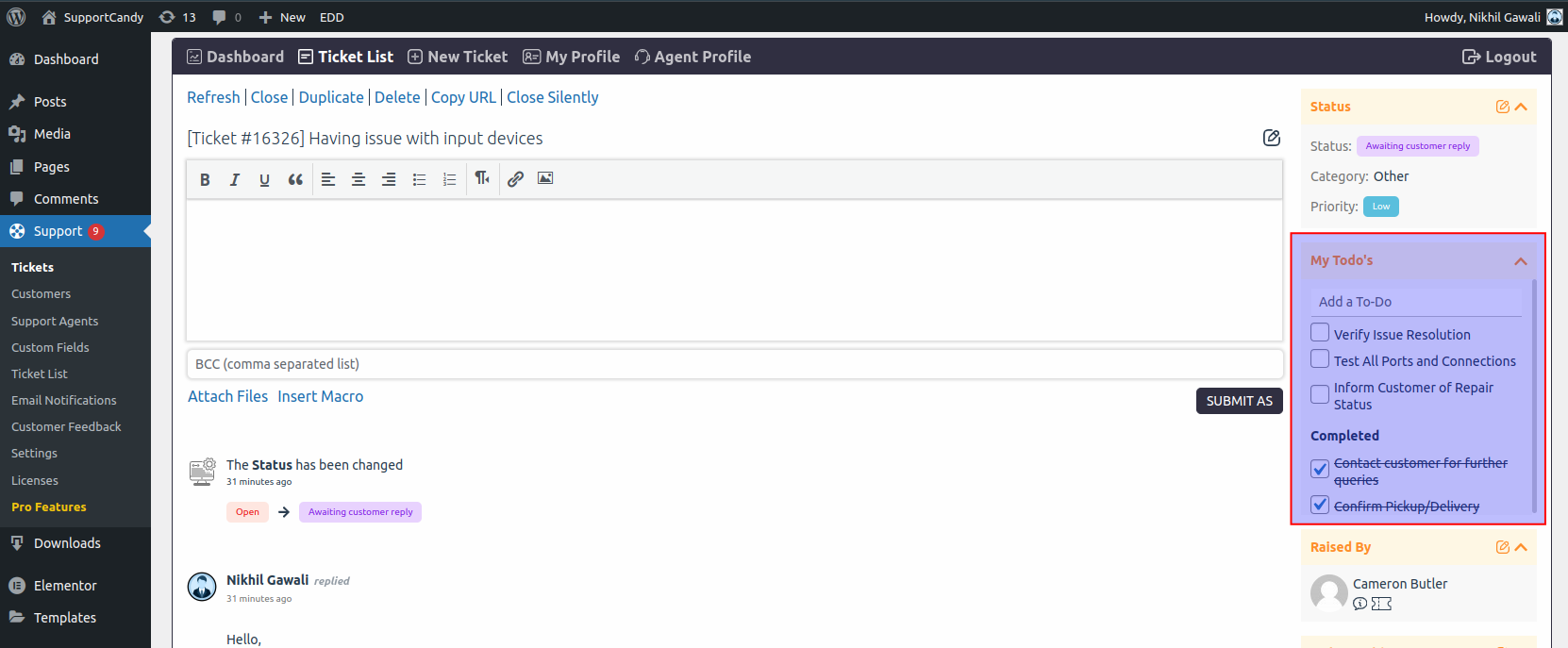
Keep track of important tasks with the To-Do List feature. Support agents can create a personalized to-do list for each ticket, ensuring no detail is overlooked. This feature helps agents organize their workflow and prioritize tasks, leading to faster and more effective ticket resolution.
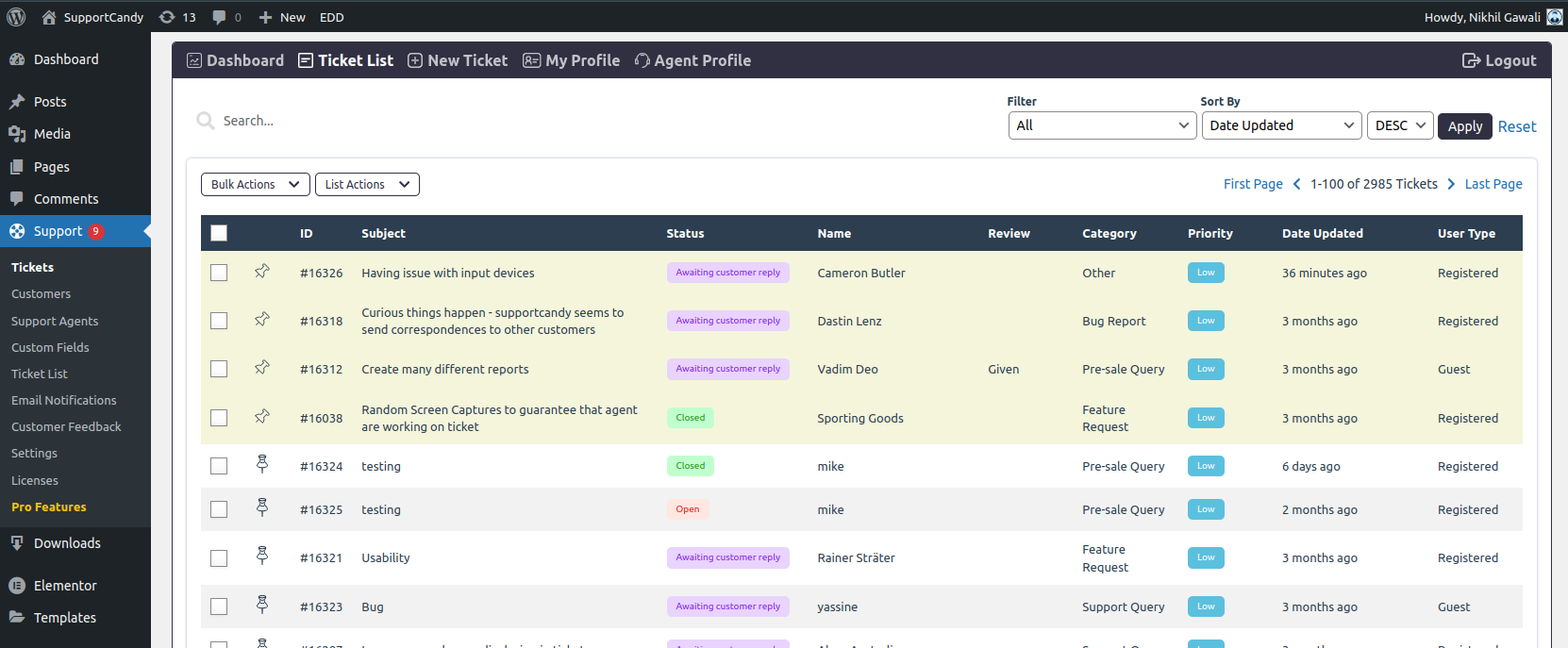
Never lose sight of important tickets again. With the Pin Ticket feature, support agents can pin any ticket, keeping it at the top of the ticket list regardless of the sorting algorithm. This ensures that high-priority tickets remain visible and accessible, enhancing your team’s ability to manage critical issues.
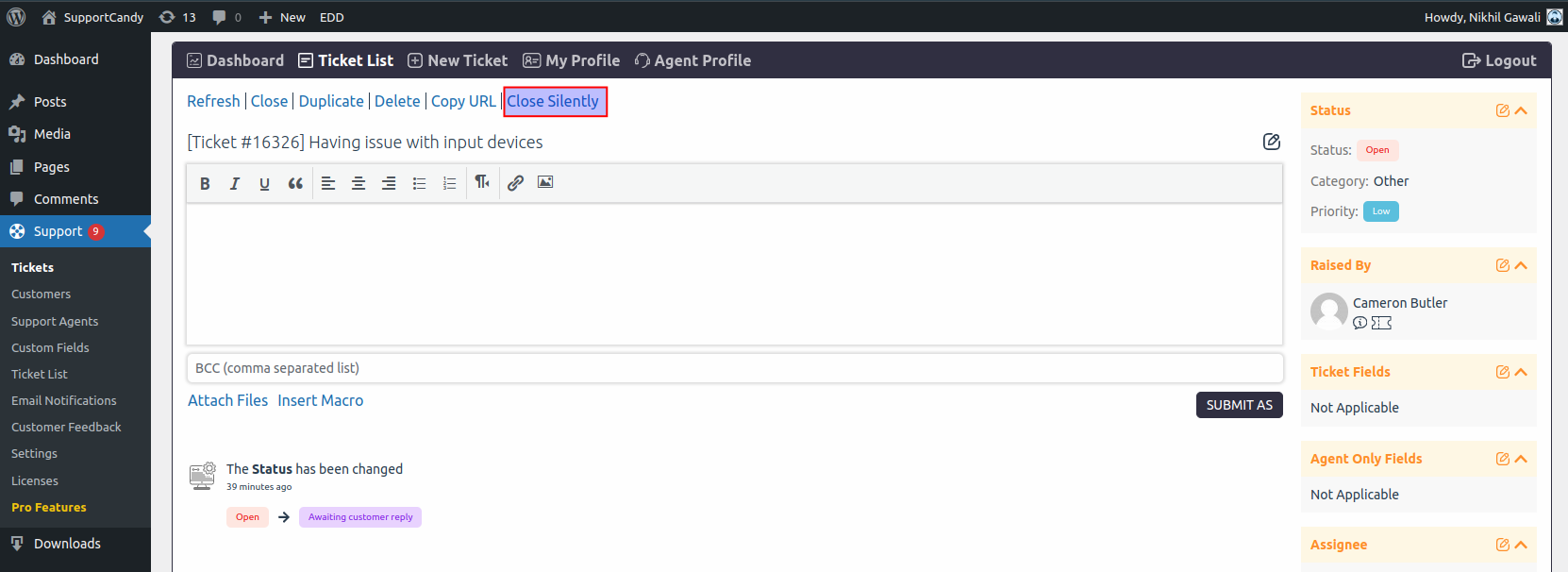
Sometimes, closing a ticket without notifying the customer is necessary. The Close Ticket Silently feature allows support agents to close tickets discreetly, ensuring that no notifications are sent out. This is particularly useful for internal resolutions or when additional communication is unnecessary.