
Go Global: How to Sell Internationally with the Ultimate WooCommerce Multi Currency Plugin
Does your WooCommerce store feel like it’s stuck in one country? You’ve perfected your products, polished your website, and you know there’s a world of customers out there waiting for you. Yet, your sales reports tell a different story—a story confined by borders and currencies. The truth is, if your store only displays prices in a single currency, you’re not just missing out on sales; you’re actively turning away international customers.
Imagine a shopper from Japan landing on your site and seeing prices only in US Dollars. They have to leave your store, find a currency converter, do the math, and guess what their bank might charge in fees. This friction, confusion, and lack of trust leads directly to one place: the abandoned cart.
But what if you could tear down those currency barriers instantly?
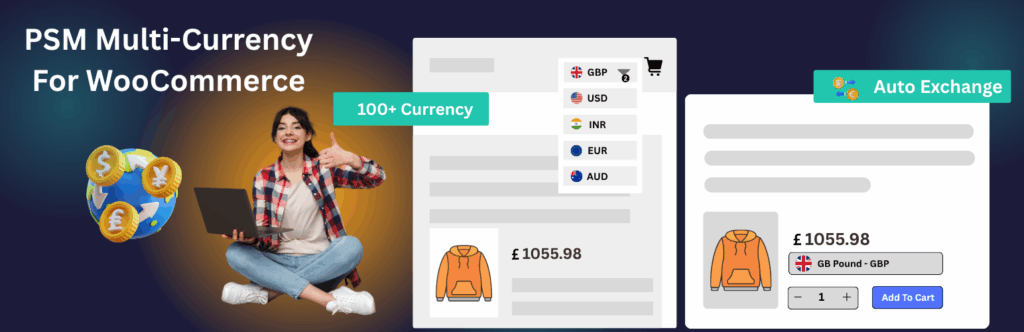
Today, we at PSM Plugins are thrilled to introduce the definitive solution: PSM Multi Currency for WooCommerce. This powerful new plugin isn’t just a currency switcher; it’s a complete toolkit designed to transform your single-country store into a seamless, high-converting global marketplace. It automatically shows prices in your customer’s local currency using real-time exchange rates, builds immediate trust, and paves the way for a frictionless checkout experience.
Stop leaving money on the table. It’s time to unlock your store’s true international potential.
The Hidden Cost of a Single-Currency Store
Before we dive into the solution, let’s unpack the real problems that international customers face on a typical WooCommerce store. These aren’t minor inconveniences; they are significant roadblocks that directly impact your revenue.
Mental Gymnastics & Cart Abandonment: Today’s online shoppers expect convenience. Forcing them to calculate prices in their head or use an external tool is a major disruption to the buying journey. Every moment of hesitation increases the likelihood they’ll simply close the tab and buy from a competitor who offers a localized experience.
Erosion of Trust and Professionalism: When customers see prices in their own currency, it sends a powerful message: “We cater to you. We are a professional, global business.” Conversely, a foreign currency can feel alienating, making your store seem small, amateur, or even untrustworthy. Shoppers worry about hidden conversion fees from their credit card companies and whether the final price will be what they expected.
Inaccurate Pricing and Lost Margins: If you try to solve this manually by listing a few alternate prices in product descriptions, you create a maintenance nightmare. Exchange rates fluctuate daily. Without an automated system, your prices will quickly become outdated, either overcharging customers (and losing sales) or undercharging them (and losing profit).
Ineffective Marketing Campaigns: How can you run a targeted ad campaign for customers in the UK if you can’t show them prices in Pound Sterling (£)? Marketing to an international audience without localized pricing is like shouting into the wind—inefficient and expensive.
These challenges combine to create a poor user experience that costs you customers and revenue every single day.
Introducing PSM Multi-Currency for WooCommerce: Your Gateway to Global Sales
We built PSM Woocommerce Multi Currency to solve every one of these problems. It’s designed from the ground up to be powerful, flexible, and incredibly easy to use. It empowers you to offer a truly local shopping experience to every visitor, no matter where they are in the world.
See it in action in our quick demo video:
Let’s explore the powerful features that make this plugin the ultimate add-on to sell internationally with WooCommerce.
Effortless Currency Management & Display
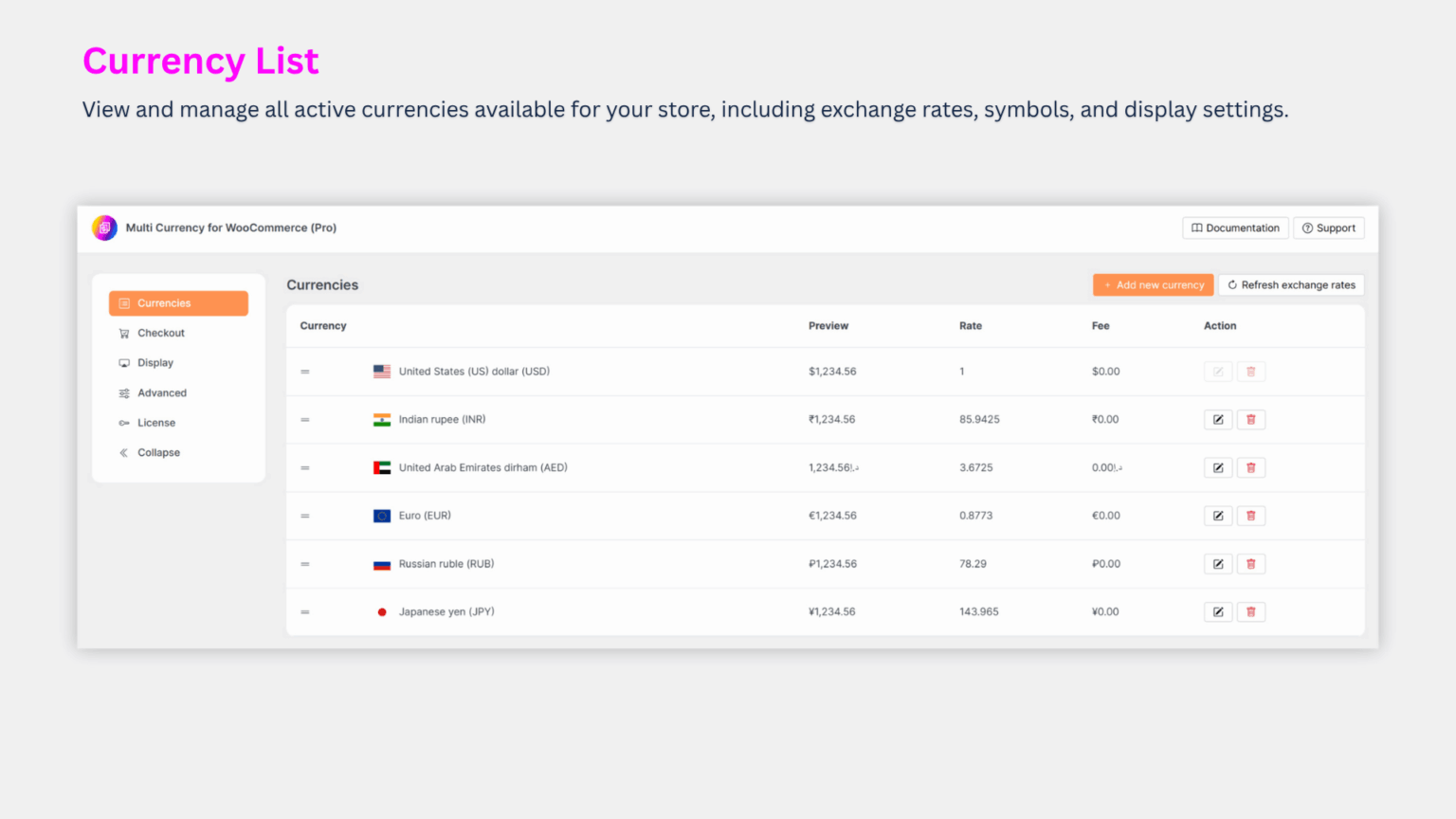
The core of any woocommerce multi currency system is its ability to manage currencies and exchange rates simply and effectively. We’ve designed an intuitive interface where you can manage all your active currencies in one place. Add USD, EUR, INR, JPY, and more in seconds. You decide how exchange rates are handled—either with hands-free automatic updates from a trusted provider or with on-demand manual control for maximum stability. It’s global pricing, completely simplified.
A Seamless Switch for a Superior Customer Experience
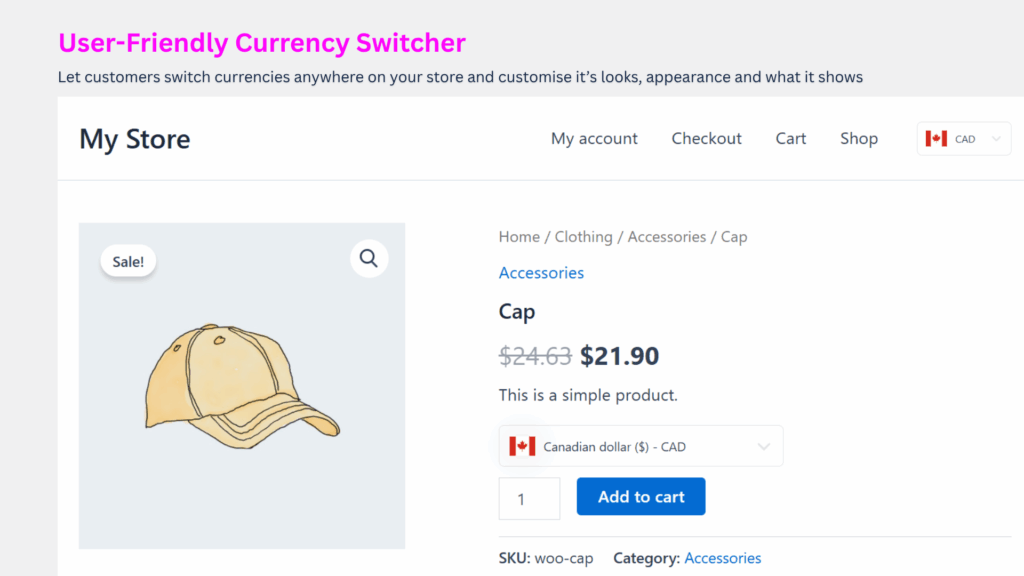
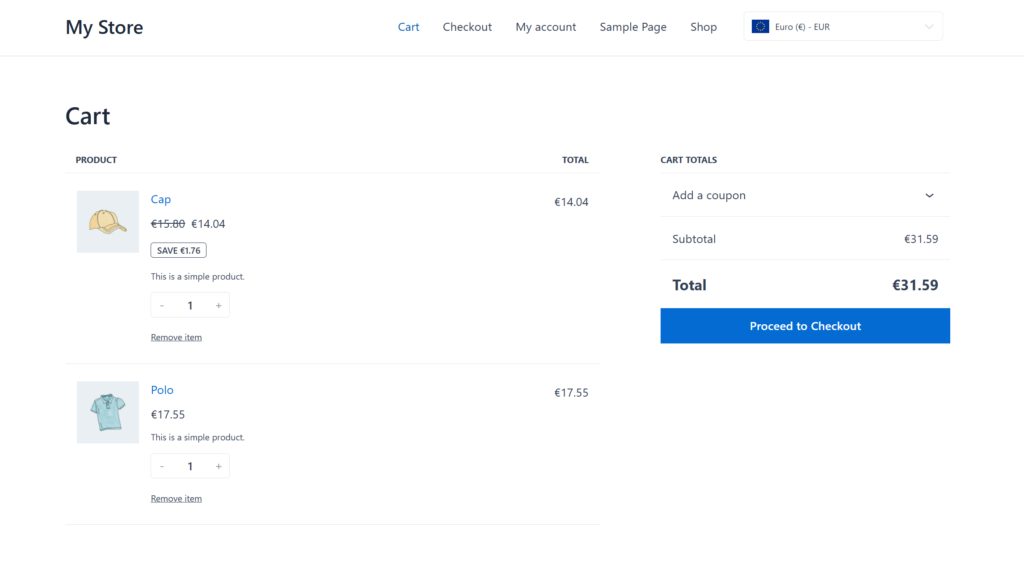
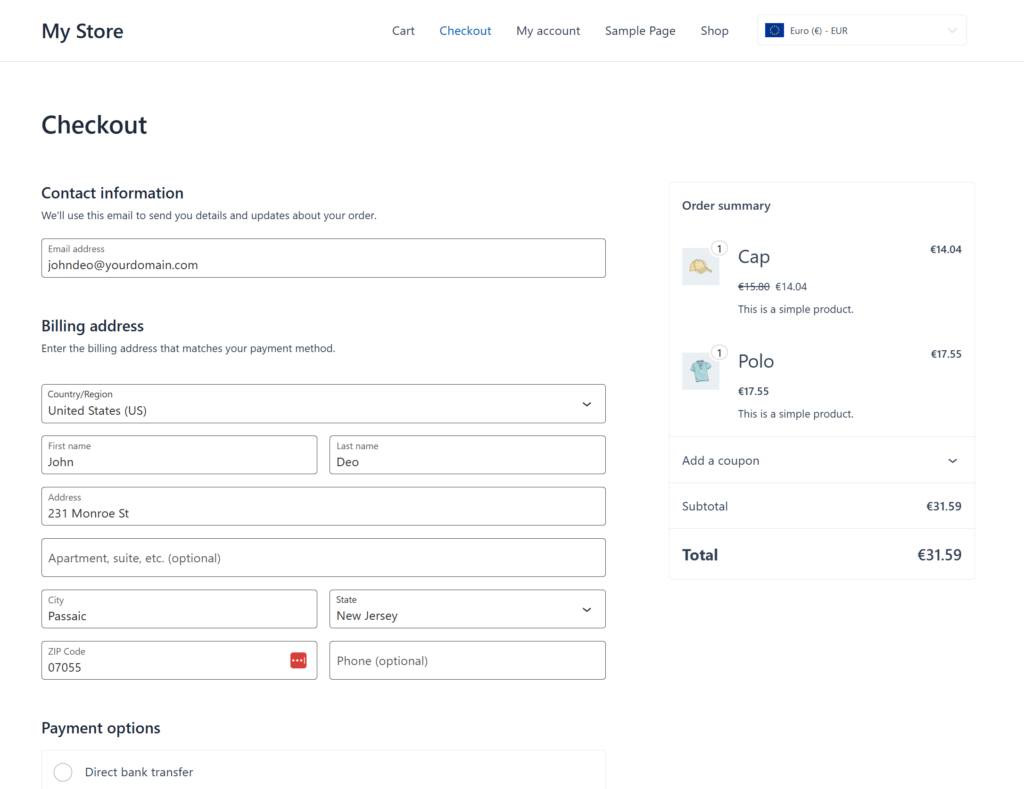
The currency conversion experience should be invisible to the customer. With our plugin, the selected currency stays active across your entire site, providing a consistent and reassuring journey from the moment they land on a product page to the final click at checkout. This continuity is key to building trust and driving conversions.
Your customers can easily switch currencies using an elegant switcher that feels like a natural part of your store’s design.
Fine-Tune Every Price for Maximum Impact
Automation is great, but strategic control is even better. PSM WooCommerce Multi Currency includes advanced tools that empower you to optimize every price for better margins and higher conversions.
Protect Your Profitability: Go beyond the standard exchange rate. You can set your own custom exchange rates or add a percentage-based or fixed fee to any currency. This is perfect for covering your business’s conversion costs and locking in your profit margin on every single international sale.
Implement Smart Rounding: Automatically round prices to create clean, psychologically appealing price points. Our rounding rules can convert a messy calculated price like
€20.34into an attractive€19.99. You can set rules to round up, down, or to the nearest value, giving you full control over your pricing strategy.Perfect Your Price Presentation: Customize every detail of how the price is displayed, including the number of decimal points and the thousands separator, to match local conventions. Our instant live preview shows you exactly how prices will look to your customers before you save.
Unlimited Placement & Customization Options
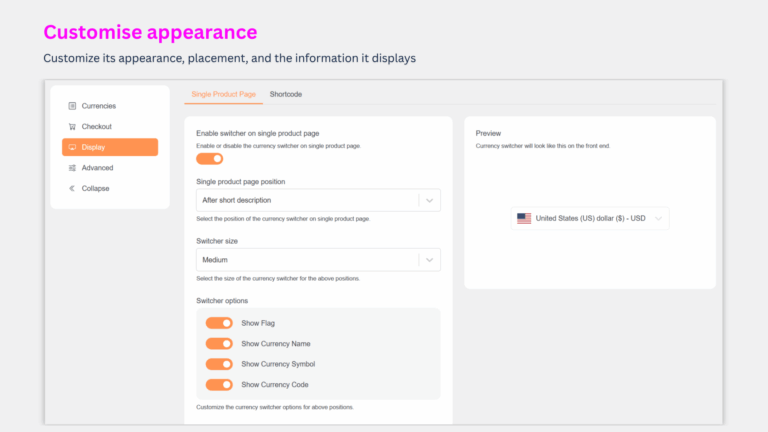
Your currency switcher should match your brand, not the other way around. We provide seamless placement options for modern WordPress workflows, so you never have to compromise on style.
Total Design Control: You control the switcher’s appearance and what information it displays. Choose to show country flags, currency names, official currency symbols ($), and/or currency codes (USD) to create the perfect look for your store.
Elementor & Gutenberg Ready: The PSM WooCommerce Multi Currency plugin is built natively for your favorite tools. Simply drag and drop our dedicated Elementor widget or Gutenberg block right into your layouts for instant integration.
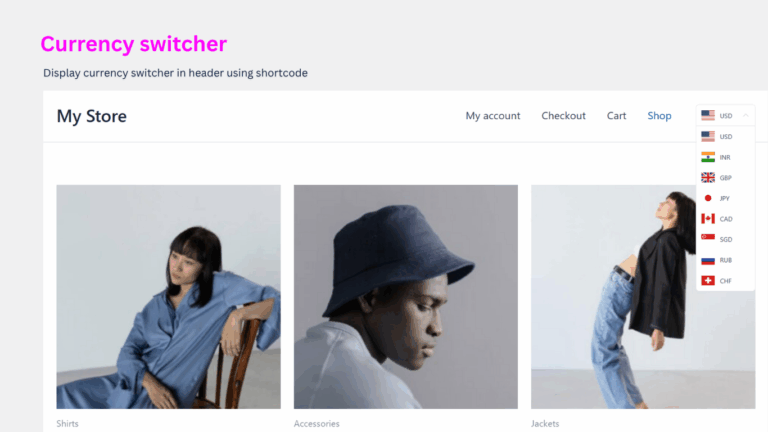
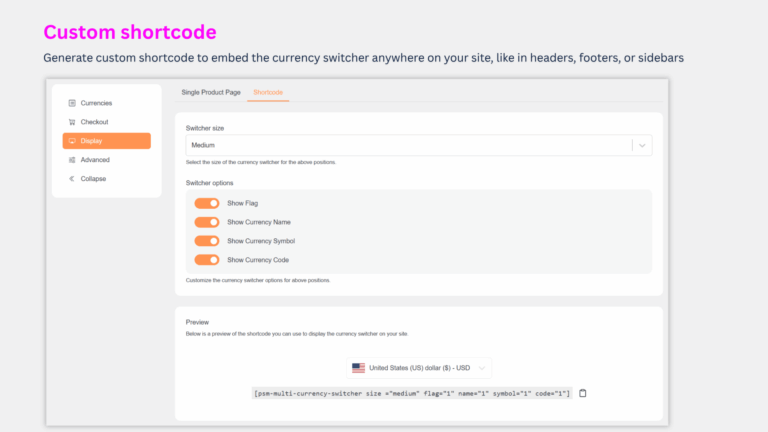
Flexible Shortcode: For pixel-perfect control or placement in headers, footers, or sidebars, you can generate a simple shortcode. No matter which method you choose, you always have full control over the switcher’s appearance.
Intelligent Automation for a Hands-Free Store
The best tools are the ones that do the work for you. Put your international pricing on autopilot with powerful automation that ensures accuracy and creates a world-class customer experience.
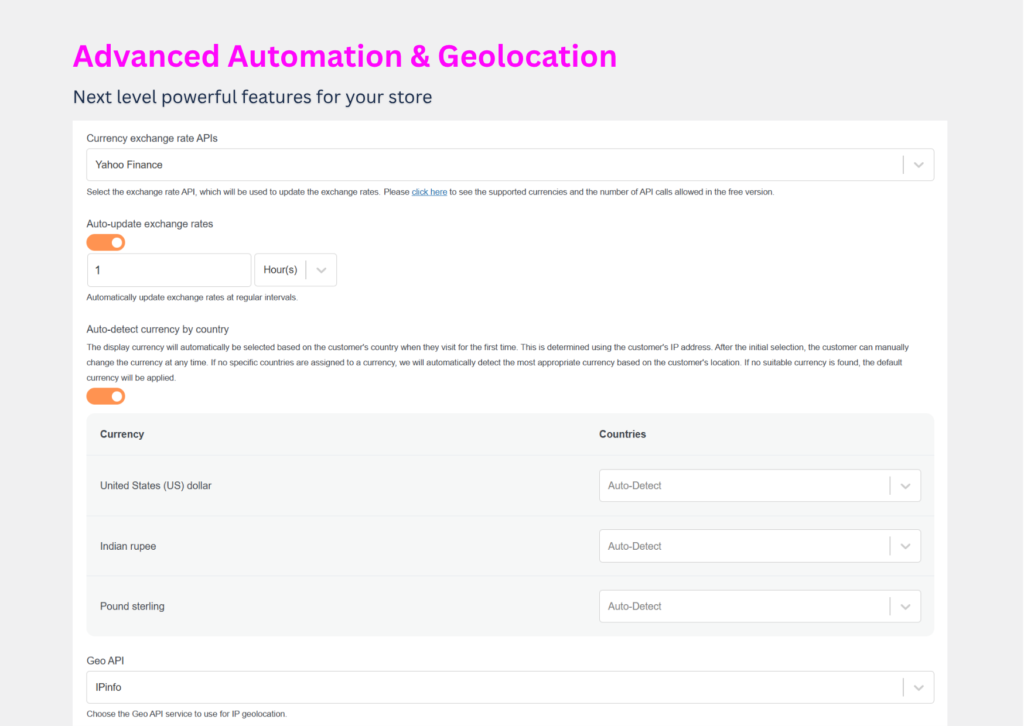
Automated Exchange Rate Syncing: Keep your prices perfectly in sync without any manual effort. You can select from a list of trusted exchange rate API providers (like Yahoo Finance) and set your own update schedule—from hourly to daily—to maintain the level of accuracy your business requires.
Smart Currency Detection by Country: This is how you truly sell internationally. Our system uses a visitor’s IP address to automatically detect their location and instantly display prices in their local currency from their very first visit. If no specific currency is assigned to their country, the default will be shown. This removes all friction and welcomes every visitor with a personalized experience.
Flexible Checkout Control: Your Store, Your Rules
Configure a checkout experience that maximizes conversions and simplifies your back-end operations. You decide exactly how your customers pay.
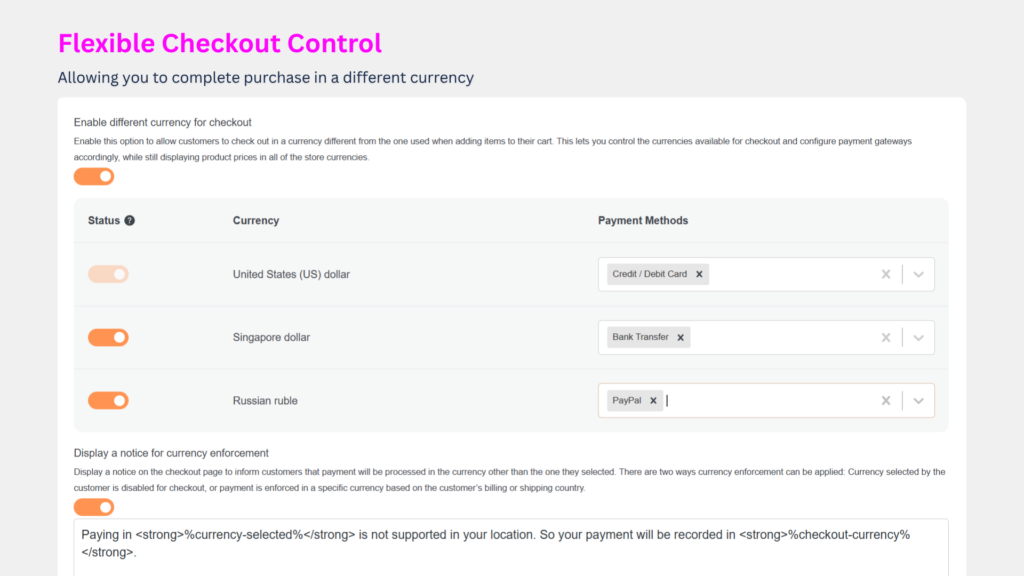
Choose Your Checkout Method: You can allow customers to complete their purchase in their chosen local currency for the most seamless experience. Alternatively, you can revert all checkouts to your store’s base currency for simpler accounting and payment gateway management.
Define Accepted Currencies: Even if you display prices in 20 different currencies to attract customers, you can limit the currencies you actually accept for payment. For example, you might choose to allow checkout transactions only in a select few (e.g.,
USD,EUR,GBP) to streamline your payment processing.Assign Payment Gateways by Currency: Increase trust and conversion rates by offering local payment options. Our plugin allows you to show or hide specific payment gateways based on the currency selected. You could offer iDEAL for customers paying in Euros or a specific bank transfer method only to UK customers paying in Pounds.
Unlock True Global Sales Insights
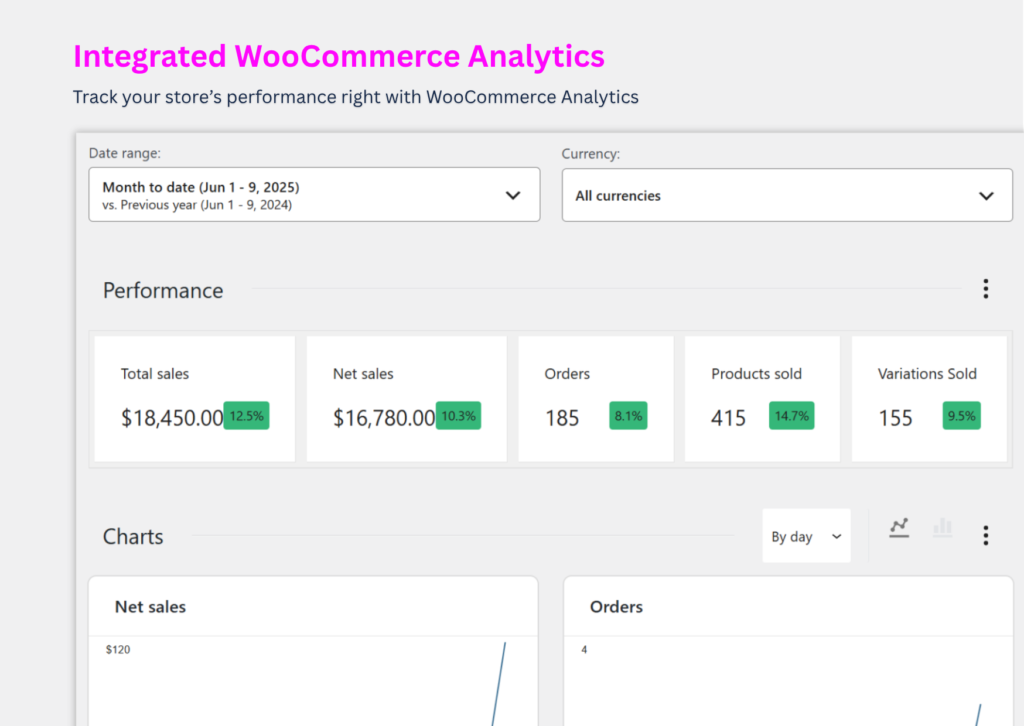
How do you know if your global strategy is working? Stop guessing. Our plugin integrates a powerful currency filter directly into your WooCommerce Analytics dashboard, transforming raw data into a clear roadmap for strategic growth.
Analyze by Market: Isolate your sales reports to view performance in any specific currency. Instantly see how your promotions in Japan are performing in
JPYor track the growth of your UK sales inGBP.Get a Unified Overview: With a single click, convert all sales data back to your store’s base currency. This gives you one accurate, consolidated report of your total revenue for simplified financial planning.
Make Data-Driven Decisions: Use these insights to identify your most profitable regions, understand international purchasing trends, and allocate your marketing budget with absolute confidence.
Works with Your Favorite WooCommerce Extensions
PSM WooCommerce Multi Currency is built for broad compatibility. It works seamlessly with core WooCommerce and an expanding list of popular extensions.
WooCommerce Subscriptions
WooCommerce Product Bundles
WooCommerce One Page Checkout
WooCommerce Name Your Price
Product Add-On for WooCommerce
Table Rate Shippings for WooCommerce
Role Based Pricing for WooCommerce
WPML & Polylang
And many more!
Need support for a specific plugin? Just reach out—our team is always ready to prioritize compatibility in future updates.
Simple, Transparent Pricing
Get all this power with a simple, one-time payment for a year of updates and support. Stay in control with easy manual renewals—no subscription traps, ever.
| Plan | Price | License | Updates & Support | Best For |
| Starter | $29.99 $17.99/Year | 1 Site | 1 Year | Getting started with a single online store. |
| Business | $59.99 $35.99/Year | 5 Sites | 1 Year | Managing multiple WooCommerce projects. |
| Agency | $149.99 $89.99/Year | 20 Sites | 1 Year | Developers and agencies with many clients. |
| Lifetime (Popular) | $89.99 $59.99/One-Time | 1 Site | Lifetime | Securing lifetime value for a single site. |
Please note, the renewal price may vary based on the current price at the time of renewal.
Your Global Journey Starts Now
The international market is not a future goal; it’s a present opportunity you can’t afford to miss. By removing currency as a barrier, you’re not just translating prices—you’re building trust, improving user experience, and fundamentally changing how the world sees your brand.
PSM WooCommerce Multi Currency is more than an add-on; it’s your partner in global expansion. It’s the simplest way to add multiple currencies to your store, convert prices based on your customer’s country, and ultimately sell more effectively across the globe.