
Overview
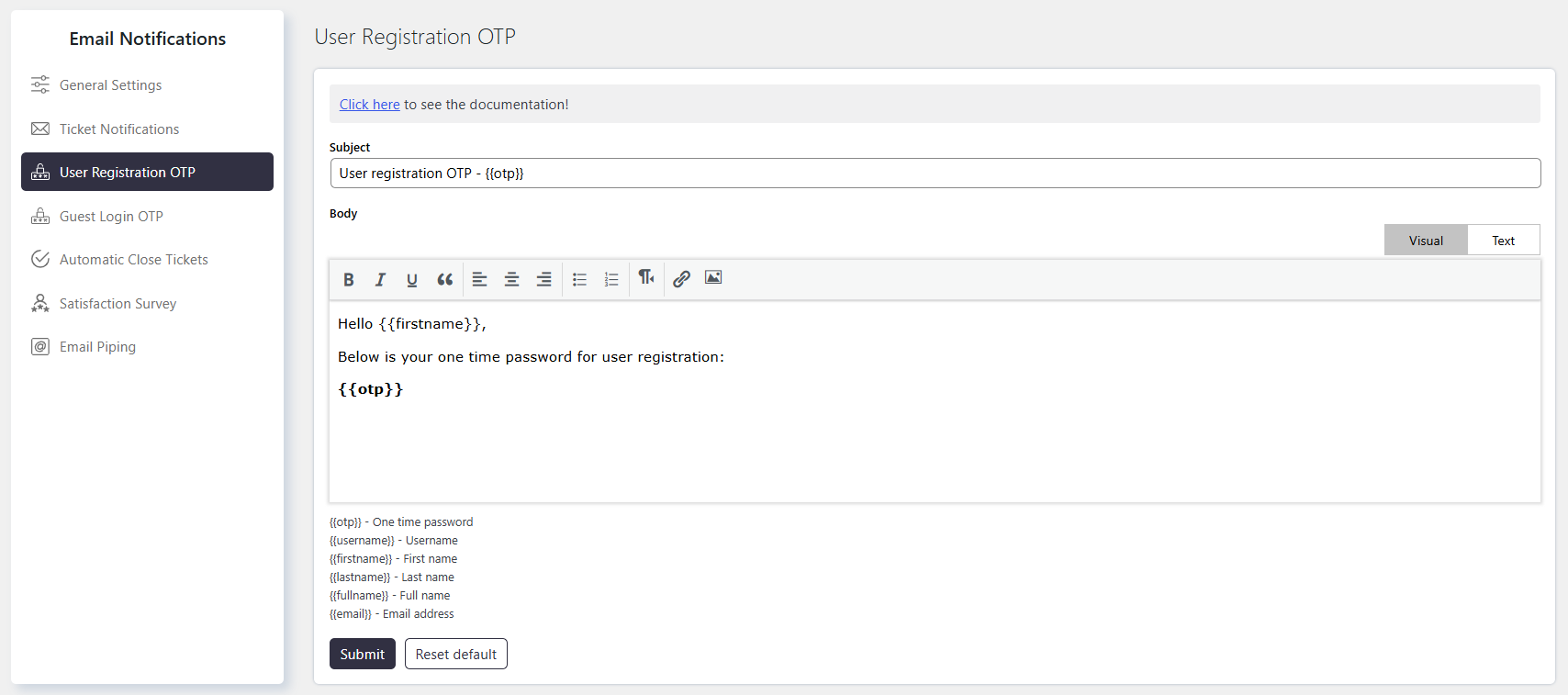
User Registration OTP allows you to configure the email notification sent during user registration.
The email contains a one-time password (OTP) used to verify the user’s email address when using the Default registration form.
OTP verification helps confirm that the email address provided during registration is valid.
Where to Find
Go to Support → Email Notifications → User Registration OTP.
How It Works
When a user registers using the Default registration form, SupportCandy sends an email containing an OTP.
The user can use this OTP to authenticate the email address provided during registration.
You can customize the email Subject Field and Body Section using text and available Macros.
Step-by-Step Guide
- Go to Support → Email Notifications → User Registration OTP.
- Configure the Subject Field.
- Customize the Body Section.
- Add the required Macros to dynamically display user and OTP information.
- Save the email template.
Options / Settings
Subject Field
Defines the subject line of the OTP email.
Use a clear subject so users can easily identify the registration verification email.
Body Section
Defines the content of the OTP email.
You can add a greeting, instructions, and the OTP using available Macros.
Using Macros (Placeholders)
Macros insert dynamic information into the email subject or body. The available Macros are displayed below the email body editor.
Common Macros include:
{{otp}}– Inserts the one-time password.{{firstname}}– Inserts the user’s first name.{{lastname}}– Inserts the user’s last name.{{fullname}}– Inserts the user’s full name.{{email}}– Inserts the user’s email address.
Example
You can use the following Macros in the email body:
{{firstname}}to greet the user by first name.{{otp}}to display the OTP.{{email}}to display the registered email address.
For example, the email can greet the user by name and provide the OTP required for email verification.
Notes / Tips
- User Registration OTP applies to the Default registration form.
- Use
{{otp}}to include the OTP in the email. - Use the available Macros to personalize the email content.
- Keep the OTP email clear so users can easily find and use the verification code.