
Overview
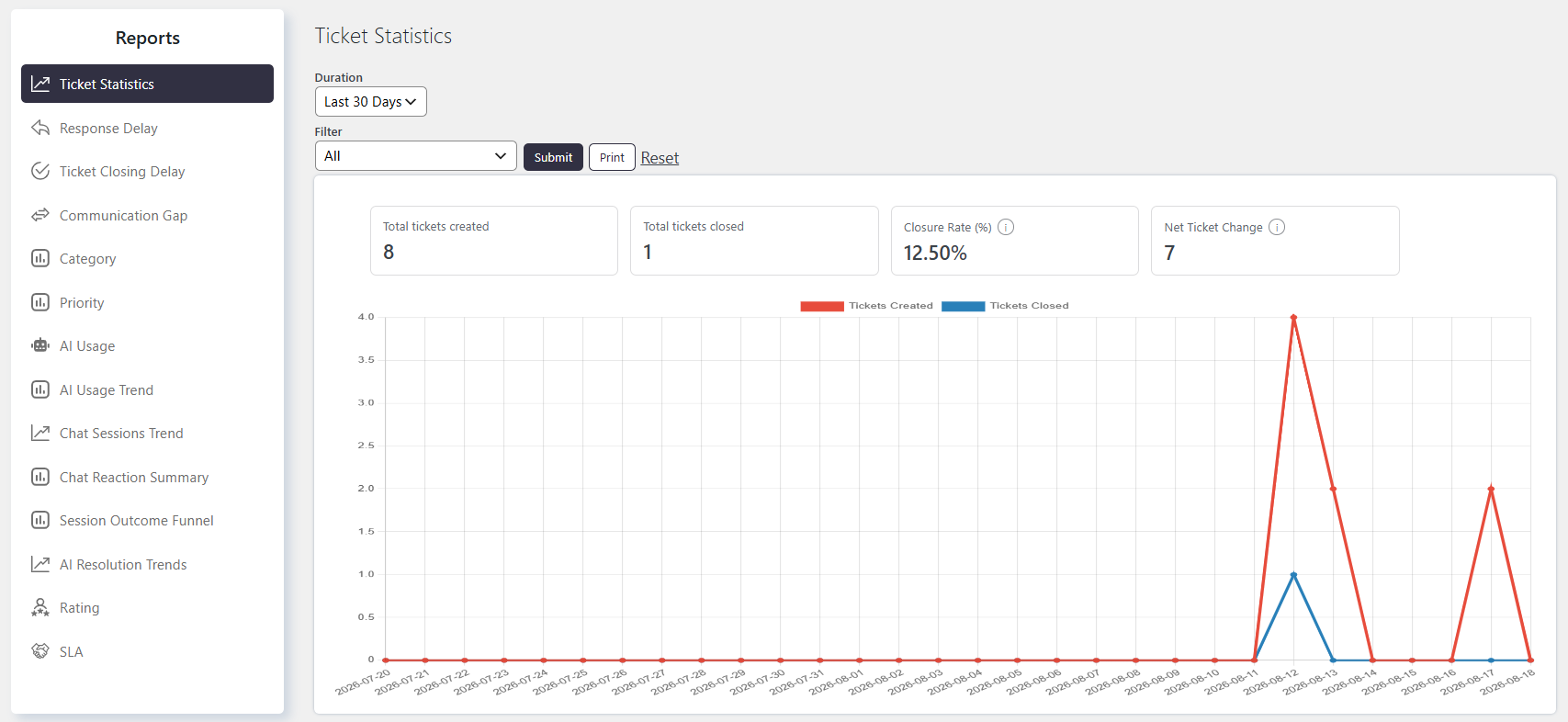
The Ticket Statistics report shows the number of Tickets created and closed during a selected period. This helps you compare Ticket creation and closure trends over time.
Where to Find
Go to Support → Reports → Ticket Statistics.
How It Works
The report displays a graph with the following types of data:
- Number of tickets created – Shows the total number of Tickets created during the selected period.
- Number of tickets closed – Shows the total number of Tickets closed during the selected period.
- Closure Rate (%) – Shows how much incoming ticket volume your team is closing in this period.
- Net Ticket Change – Indicates whether your backlog is growing or shrinking in this period.
You can select a predefined duration or choose a custom date range. You can also apply custom filters to generate more specific results.
Filtering the Report
You can generate the report for different time periods, such as:
- Last 30 days
- This week
- Last quarter
- Custom date range
You can also use the custom filter to narrow the report based on Ticket fields.
For example, you can filter Tickets by:
- Category
- Priority
- Status
- Other default or custom fields
The custom filter allows you to set multiple conditions to get more precise results.
Notes / Tips
- This report tracks volume, not speed or quality. It only compares tickets created vs. tickets closed over time — for how long tickets take to close, see the Ticket Closing Delay report instead.
- Closure Rate can exceed 100%. If your team clears out a backlog (closing more tickets than were created in that period), the rate will read above 100% — that’s expected and a good sign, not an error.
- Net Ticket Change is your backlog indicator. A positive number means tickets are piling up faster than they’re being closed; a negative (or zero) number means the backlog is shrinking or stable. Watch this trend over consecutive periods rather than a single snapshot.
- There’s no agent, category, or status breakdown in this report — it’s a high-level trend line only. If closure rate drops, use the Ticket Statistics chart to spot when it happened, then drill into other reports (Closing Delay, Category, Agent-specific views) to find why.