
Overview
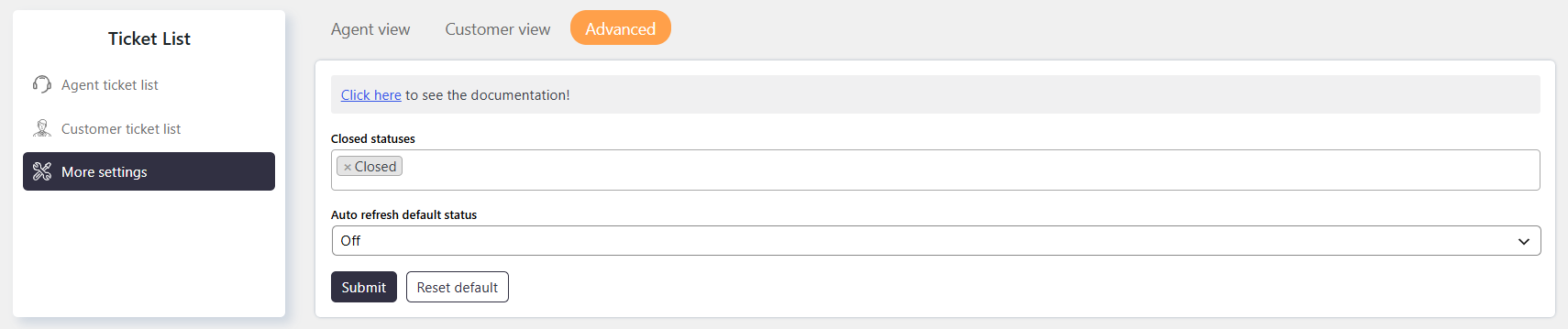
Ticket List Advanced Settings allow administrators to control closed ticket statuses and ticket list auto-refresh behavior.
These settings help organize tickets and keep the ticket list updated automatically.
Where to Find
Go to Support → Ticket List → More Settings → Advanced.
How It Works
The advanced settings provide two main options:
- Define which ticket statuses belong to the Closed status group.
- Configure whether the ticket list automatically refreshes.
When auto-refresh is enabled, the ticket list refreshes automatically every 1 minute by default.
Auto-refresh remains active until it is manually disabled from the ticket list interface.
Step-by-Step Guide
- Go to Support → Ticket List → More Settings → Advanced
- Configure the as required.
- Configure the Auto refresh default status behavior.
- Click on Save to save the settings.
Options / Settings
Closed Statuses
Auto refresh default status
- The ticket list automatically refreshes every 1 minute by default.
- Auto-refresh continues until manually disabled from the ticket list interface.
Example
If Resolved and Closed are included in the Closed Statused, tickets with either status will appear under the Closed filter.
If Auto refresh default status is enabled, the ticket list automatically refreshes every minute to display updated ticket information.
Notes / Tips
- The ticket list automatically refreshes every 1 minute by default. Since this feature sends continuous requests to your server, it may increase server load. On shared hosting, frequent requests may also contribute to server resource usage and potentially cause performance or server-related issues.
- Use the Closed Statused to control which statuses appear under the Closed filter.
- Enable Auto refresh default status when Agents need the ticket list to update automatically.
- Auto-refresh remains active until it is manually disabled from the ticket list interface.