
Overview
The reCaptcha setting adds Google reCAPTCHA protection to SupportCandy forms and screens.
It can be used on the:
- Ticket form
- Login screen
- Registration screen
- Profile screen
To configure reCaptcha, you need a Site Key and Secret Key for your domain.
Where to Find
Go to Support → Settings → Miscellaneous → reCaptcha.
How It Works
Google reCaptcha verifies users before allowing access to protected SupportCandy forms or screens.
First, create a reCaptcha site in Google reCaptcha. Then copy the generated Site Key and Secret Key into SupportCandy.
Step-by-Step Guide
Create Google reCaptcha Keys
- Visit the Google reCaptcha website.
- Click v3 Admin Console.
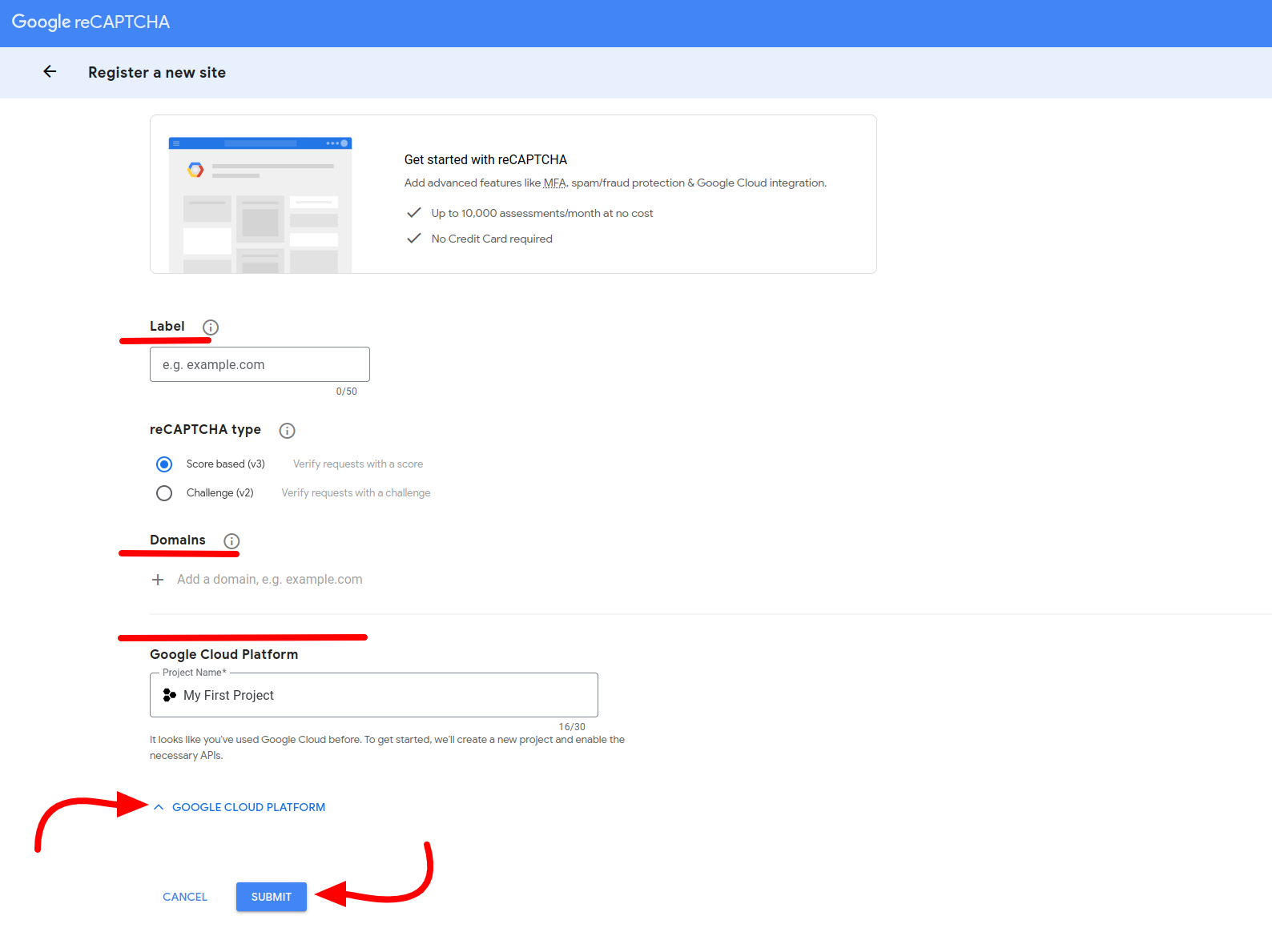
- Open the Register a new site page.
- Enter a Label for your site.
- Enter your website under Domains.
- Select the required reCaptcha version:
- Score-based (v3)
- Challenge (v2)
- Select a Google Cloud Project, if required.
- Click Submit.
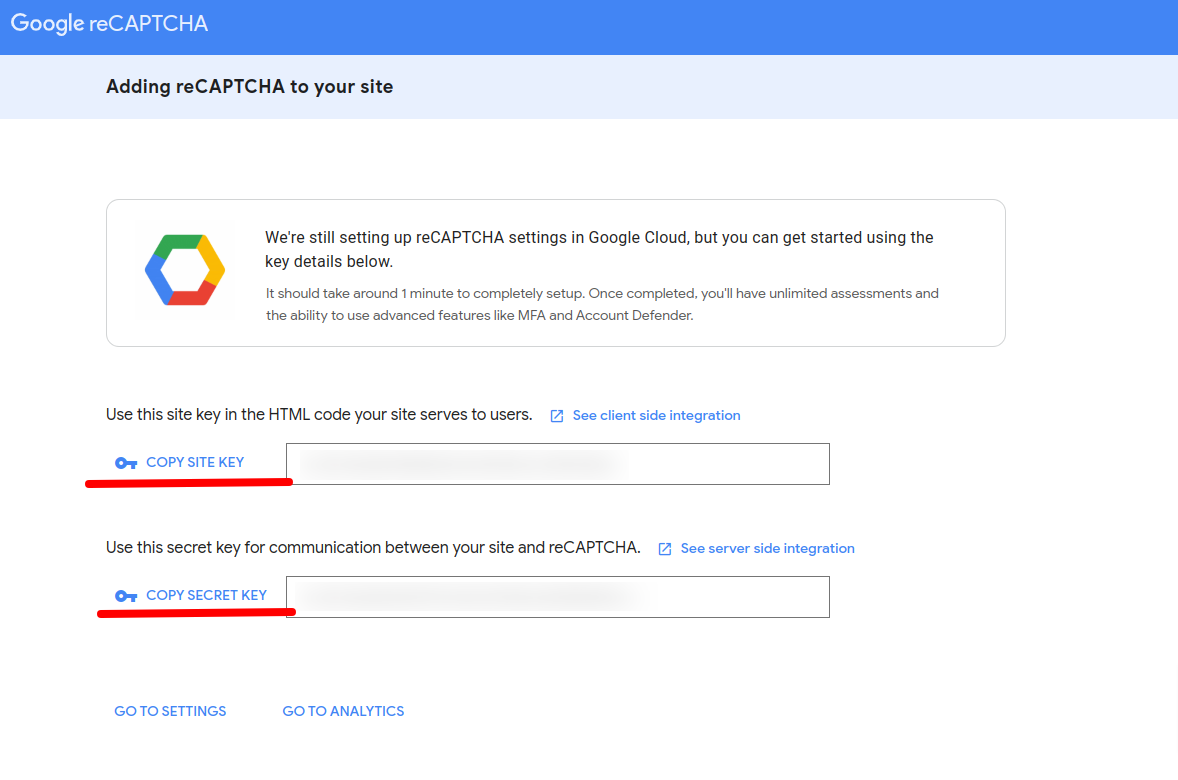
- Copy the generated Site Key.
- Copy the generated Secret Key.
Configure reCaptcha in SupportCandy
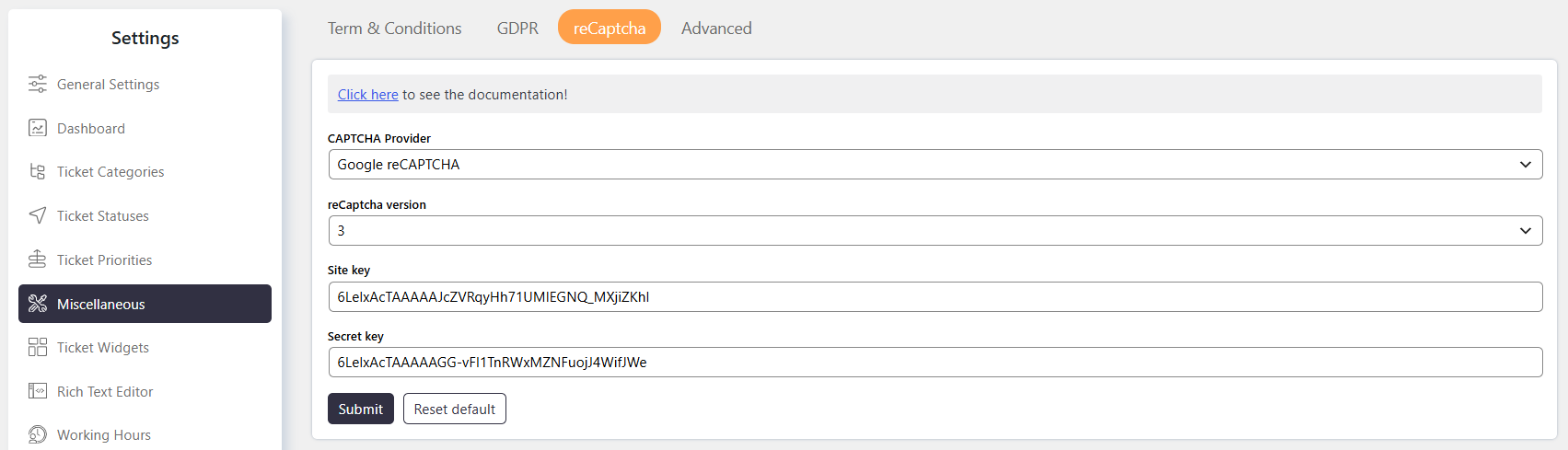
- Go to Support → Settings → Miscellaneous → reCaptcha.
- Select the Google CAPTCHA provider.
- Choose the version.
- Enter the generated Site Key.
- Enter the generated Secret Key.
- Click on Submit to save the settings.
Options / Settings
Select the captcha provider you want to add.
Site key is the kay provided by the captcha provider.
key is the kay provided by the captcha provider.
Example
For a website such as example.com:
- Open the Google reCaptcha Console.
- Enter
example.comunder Domains. - Select Score-based (v3) or Challenge (v2).
- Click Submit.
- Copy the generated Site Key and Secret Key.
- Go to Support → Settings → Miscellaneous → reCaptcha.
- Enter both keys.
- Save the settings.
Notes / Tips
- A Site Key and Secret Key are required to configure Google reCaptcha.
- Enter the domain without
https://or/. - Use the website URL as the Label to identify the reCaptcha configuration easily.
- Google Cloud Project selection is optional according to the provided setup instructions.
- Keep the Secret Key secure and do not expose it publicly.
- The provided setup instructions support Score-based (v3) and Challenge (v2) reCaptcha versions.