
Overview
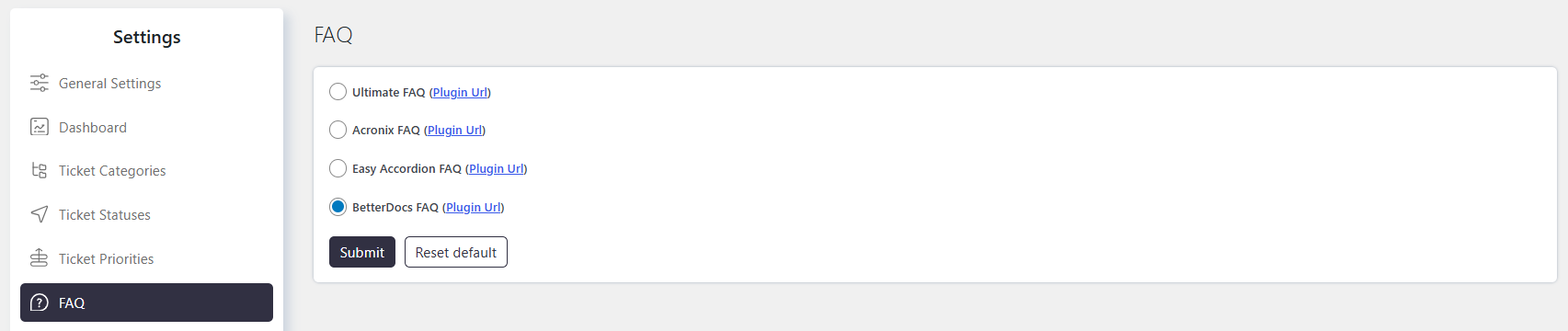
The FAQ Integration allows you to integrate Ultimate FAQ or Arconix FAQ with SupportCandy Helpdesk.
The integration provides quick access to FAQs within the ticketing system. Agents can search for relevant FAQs, insert FAQ links or content into replies, and use FAQ suggestions to provide faster and more accurate responses.
Where to Find
Go to Support → Settings → FAQ.
How It Works
FAQs Link Below the Reply Box
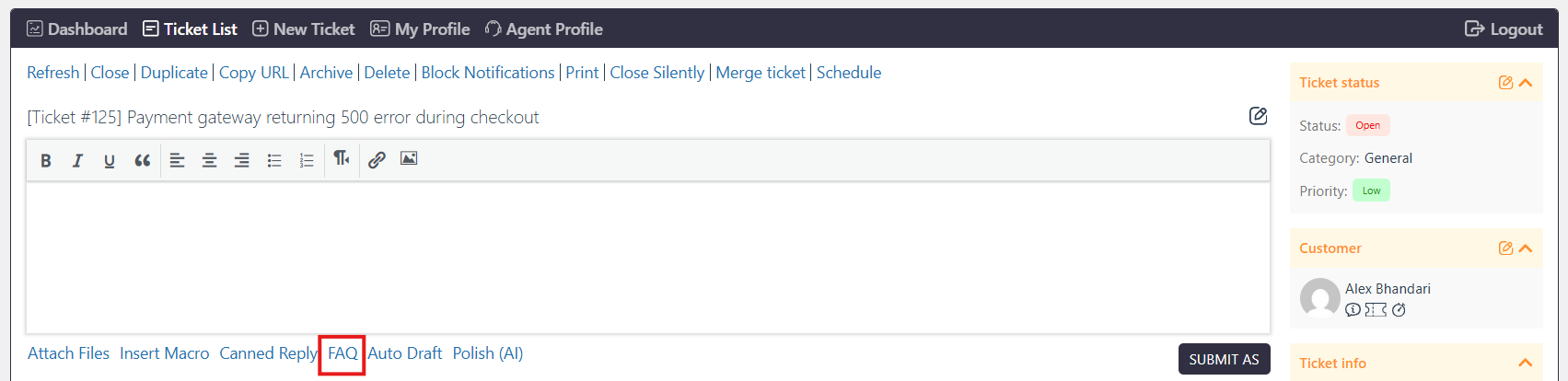
An FAQs link is displayed below the reply box on the ticket page.
The link is available to both agents and customers.
FAQ Pop-Up
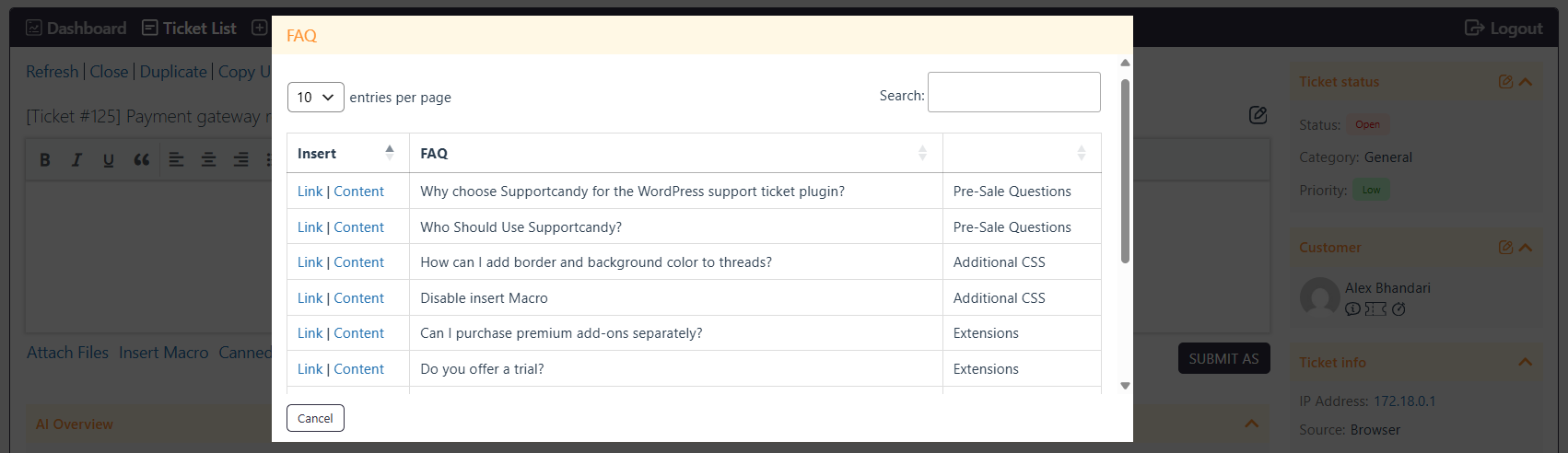
Clicking the FAQs link opens a pop-up containing the available FAQs, organized by category.
Agents can select an FAQ and insert it into a reply in either of the following ways:
- As a link — Inserts a link to the FAQ.
- As content — Inserts the complete FAQ content into the reply.
FAQ Suggestions in Macros
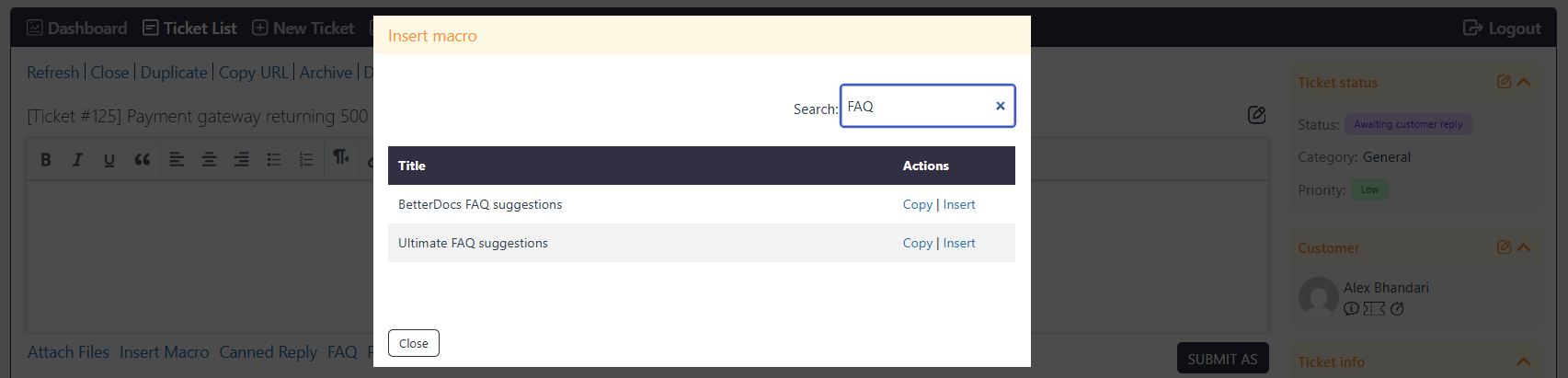
The integration compares words in the ticket subject with tags assigned to FAQs.
The top three matching FAQs are suggested to agents. These suggestions can be used in macros to quickly insert relevant FAQ information into replies or email notifications.
FAQ Tab for Agents
Agents have an additional FAQ tab on individual ticket pages.
The tab allows agents to search and use FAQs while managing a ticket.
Configure FAQ Integration
Enable FAQ Integration
- Go to Support → Settings → FAQ.
- Select the FAQ plugin you want to integrate with SupportCandy.
- Click Save Changes.
You can integrate either Ultimate FAQ or Arconix FAQ.
Create and Manage FAQs
Create and manage FAQ topics, categories, titles, descriptions, and tags from the integrated FAQ plugin’s dashboard.
Use clear titles and relevant tags to improve FAQ searchability and suggestions. Organize FAQs into categories to make them easier to navigate.
FAQ Suggestions
FAQ suggestions are based on the ticket subject and FAQ tags.
The system compares the words in the ticket subject with the tags assigned to FAQs and displays up to three relevant FAQs for agents.
Agents can use these suggestions through macros to insert relevant FAQ information into replies or email notifications.
Manage FAQs
Use the integrated FAQ plugin’s dashboard to add, edit, organize, and maintain your FAQ library.
Keep FAQ content accurate and up to date so agents can provide relevant information and reduce repetitive responses.