
Overview
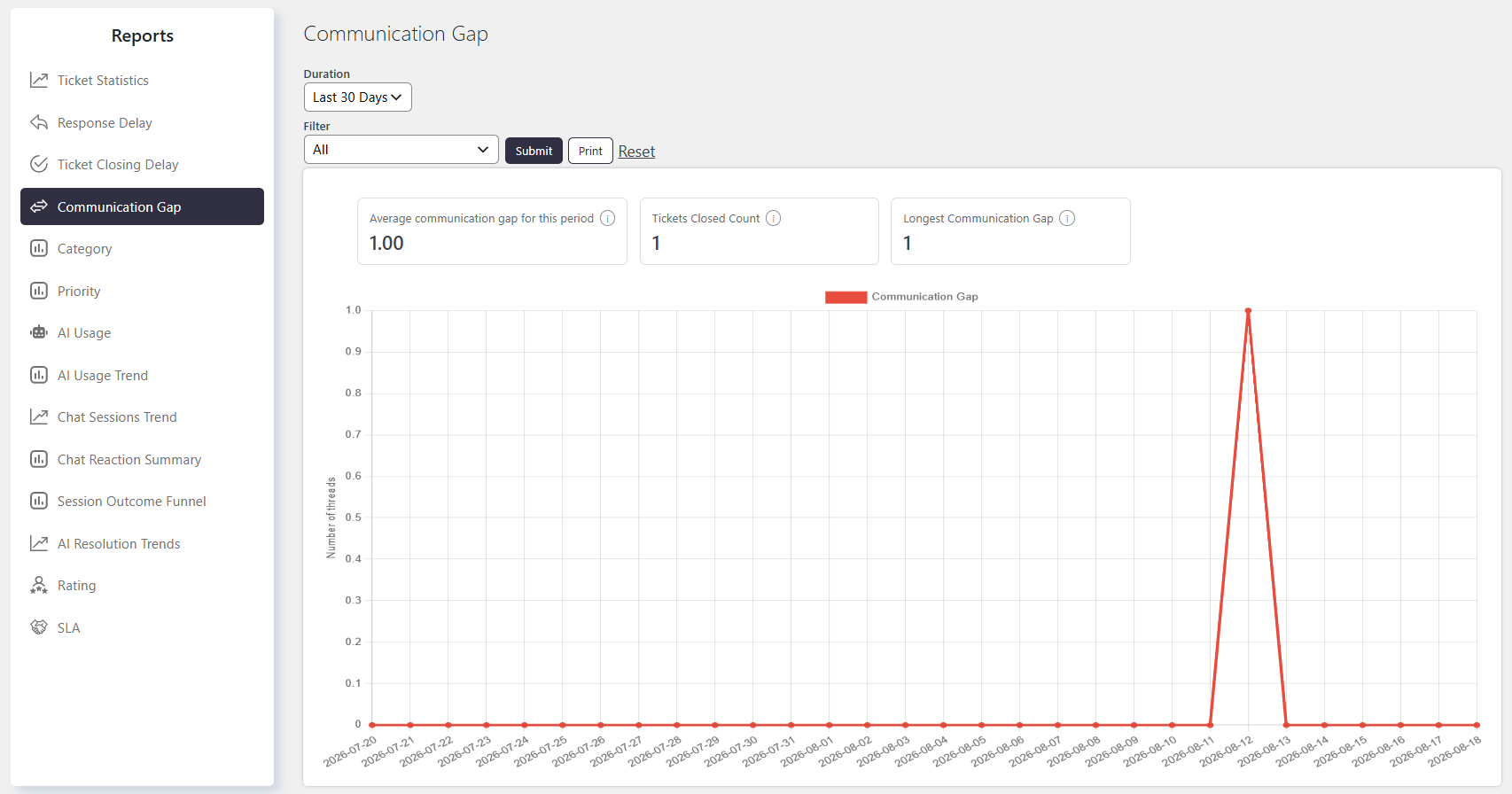
Communication gap shows the average number of threads exchanged between the Agent and Customer before a Ticket is closed. This report helps you understand how effectively Agents communicate with Customers and how accurately they convey information.
Where to Find
Go to Support → Reports → Communication Gap
How It Works
The report displays a graph with the following types of data:
- Average communication gap for this period – Shows the typical amount of back-and-forth communication per closed ticket.
- Tickets Closed Count –Shows how many closed tickets were included in this report.
- Longest Communication Gap – Shows the highest back-and-forth communication seen in a single closed ticket.
You can select a predefined duration or choose a custom date range. You can also apply custom filters to generate more specific results.
Filtering the Report
You can generate the report for different time periods, such as:
- Last 30 days
- This week
- Last quarter
- Custom date range
You can also use the custom filter to narrow the report based on Ticket fields.
For example, you can filter Tickets by:
- Category
- Priority
- Status
- Other default or custom fields
The custom filter allows you to set multiple conditions to get more precise results.
Notes / Tips
- This measures message count, not time. Despite the name, “Communication Gap” here counts the number of reply/report threads exchanged on a ticket (agent + customer combined) — it’s not a time delay like Response Delay or Closing Delay. A high value means a lot of back-and-forth, not a long wait.
- Tickets with just one reply still count, at zero or one. A ticket resolved in a single exchange isn’t excluded from the average — it pulls the average down, so a low “Average Communication Gap” can simply mean most tickets get resolved quickly with minimal back-and-forth, which is generally a good sign.
- Only closed tickets are included, filtered by
date_closedin the selected range — tickets still open won’t affect this report’s numbers even if they already have a long thread history. - A high “Longest Communication Gap” flags tickets worth reviewing. Since it’s a raw thread count, a large outlier here usually points to a complex, escalated, or repeatedly-reopened ticket — worth checking manually rather than assuming it’s a process problem.