
Overview
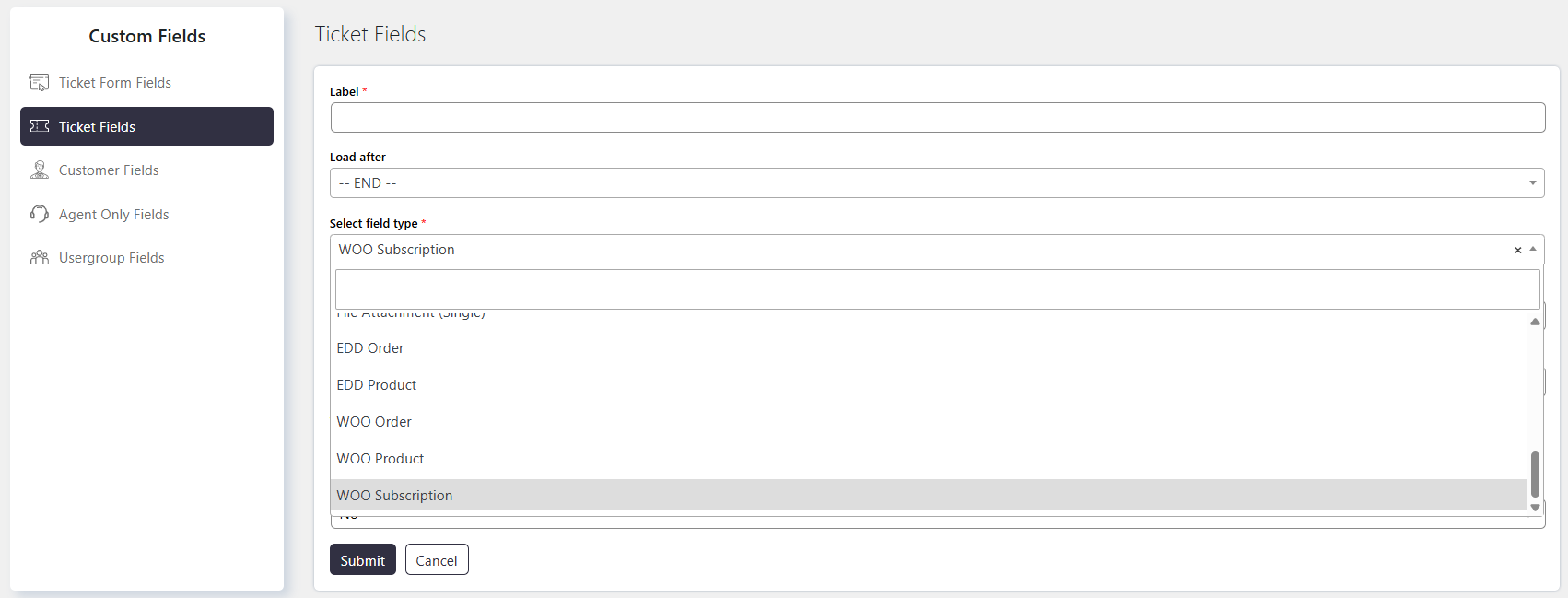
WooCommerce Custom Fields allow you to create Ticket Fields that let customers select a WooCommerce order, subscription, or product when submitting a Ticket.
Where to Find
To create a WooCommerce custom field, go to:
Support → Custom Fields → Ticket Fields → Add New → Field Type
Select one of the following field types:
- Woo Order
- Woo Subscription
- Woo Product
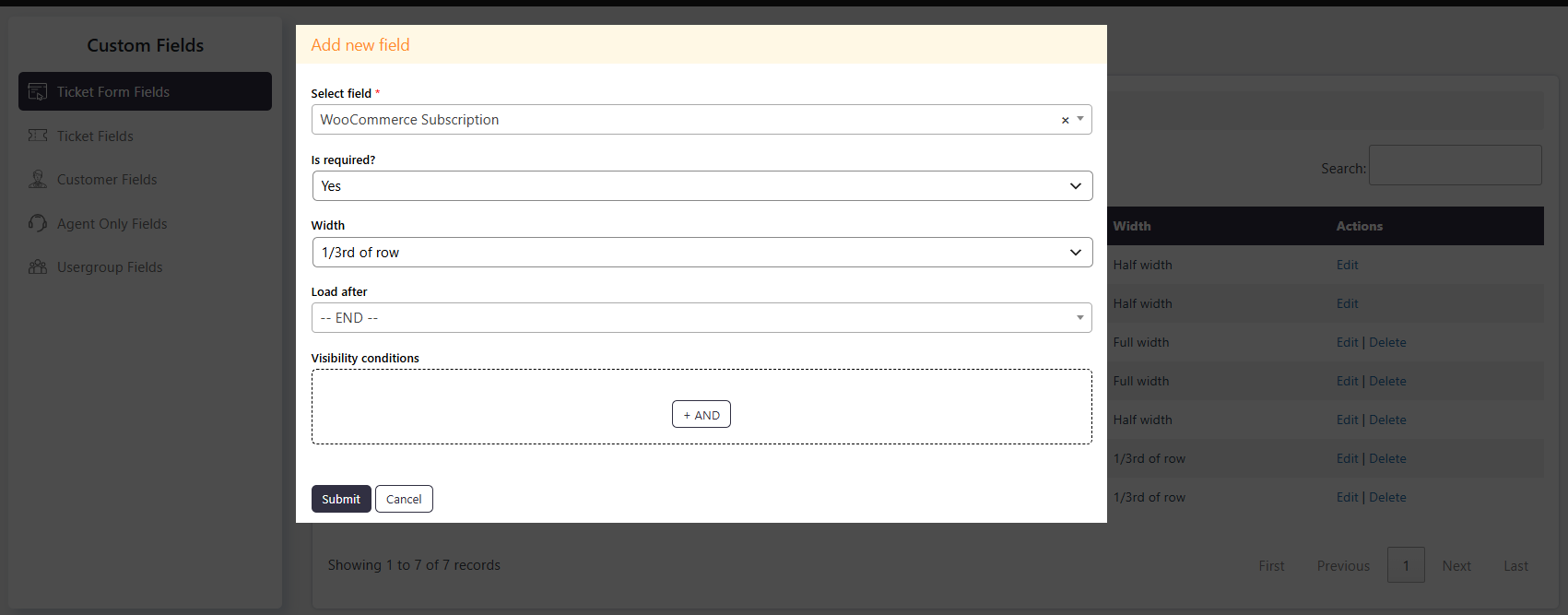
After creating the field, add it to the Ticket Form from:
Support → Custom Fields → Ticket Form Fields → Add New
Select the newly created field to make it available on the Ticket form.
How It Works
WooCommerce custom fields connect Tickets with relevant WooCommerce orders, subscriptions, or products. Customers can select the item they need help with while creating a Ticket.
Step-by-Step Guide
- Go to Support → Custom Fields → Ticket Fields.
- Click Add New.
- Select Woo Order, Woo Subscription, or Woo Product as the Field Type.
- Configure and save the custom field.
- Go to Support → Custom Fields → Ticket Form Fields.
- Click Add New.
- Select the newly created WooCommerce custom field.
- Save the Ticket Form Field settings.
Options / Settings
Woo Order Field Type
Allows customers to select a WooCommerce order in the Ticket form.
- The field displays the orders associated with the current user.
- Customers can select the relevant order when submitting a Ticket.
Woo Product Field Type
Allows customers to select a WooCommerce product in the Ticket form.
- The field displays the products available in the WooCommerce store.
- Customers can select the relevant product when submitting a Ticket.
Woo Subscription Field Type
Allows customers to select a WooCommerce subscription in the Ticket form.
- The field displays the subscriptions associated with the current user.
- Customers can select the relevant subscription when submitting a Ticket.
Example
If customers frequently need support for specific orders, create a Woo Order Field Type custom field and add it to the Ticket form. Customers can then select the relevant order when submitting their Ticket.