
Overview
Customer Fields are used to store and manage information related to customers. These fields help you collect additional details beyond the default information, making customer data more structured and useful.
Where to Find
Go to: SupportCandy → Custom Fields → Customer Fields
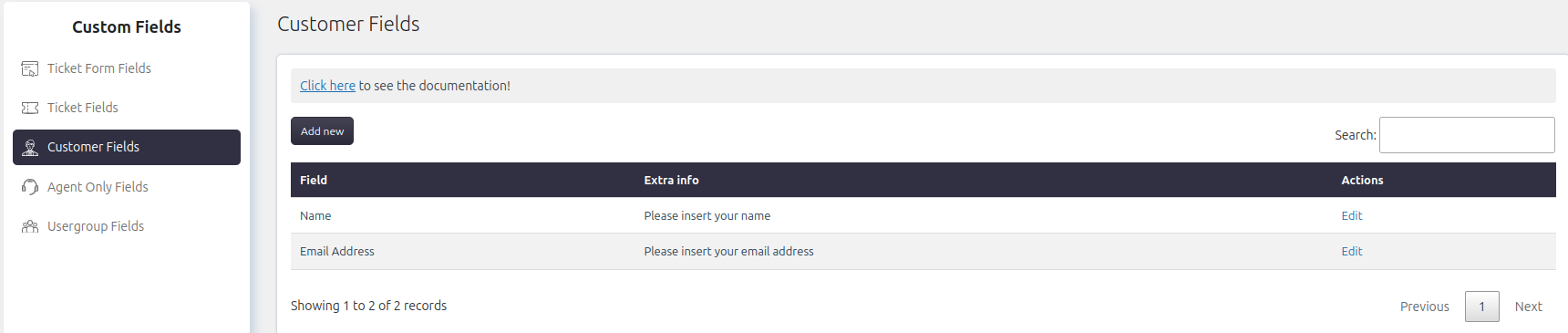
Add and Manage Customer Fields
You can create and manage customer fields as per your requirements.
Steps to Add or Edit
-
- Go to SupportCandy → Custom Fields → Customer Fields
- Click Add New to create a new field or Edit to modify an existing one
- Configure:
- Field label
- Load after
- Field type and settings
- Click Save
Where Customer Fields Are Used
Customer fields can appear in different places depending on how they are configured:
Ticket Form
- Customer fields are available in the ticket form only if they are explicitly allowed
- This helps collect customer-related information when a ticket is created
My Profile (Support Portal)
- Customer fields are visible in the My Profile section only if enabled
- Customers can update their own information from this section
Ticket Page (Agent View)
- Agents can view and update customer field values from the customer info section within a ticket
Permissions and Access
- Customers
- Can edit customer fields from the My Profile section (if allowed)
- Agents
- Require the capability Edit customer info to update customer fields within tickets
- Administrators
- Can edit customer details from:
Support → Customers
- Can edit customer details from:
Example
Suppose you want to collect a customer’s phone number:
- Go to Customer Fields
- Click Add New
- Create a field named Phone Number
- Enable it for Ticket Form or My Profile as needed
- Save the field
Now, customers can provide or update their phone number, and agents can use it for communication.
Notes / Tips
- Name and Email Address are mandatory fields. These default fields cannot be deleted or removed
- Use customer fields to collect essential contact or business information
- Enable fields only where needed to avoid clutter
- Ensure sensitive data is handled carefully
- Keep field names simple and easy to understand