
Overview
The Agent Collision feature helps support agents avoid working on the same ticket at the same time without knowing that another agent is already accessing it.
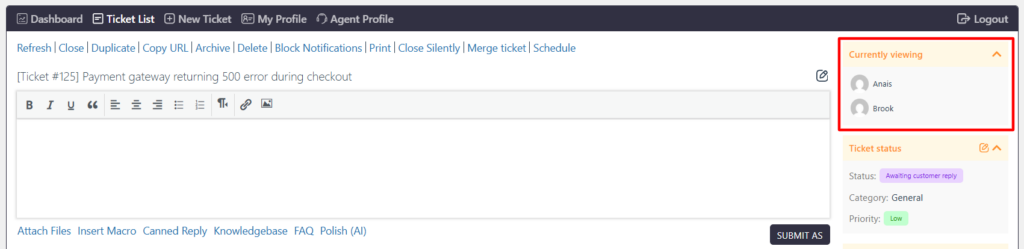
When multiple agents access the same ticket, SupportCandy displays a notice in the ‘Currently viewing’ widget showing which other agents are currently viewing the ticket. This improves collaboration and helps prevent duplicate work or conflicting responses.
Where to Find
Go to Support → Settings → Miscellaneous → Advanced → Agent Collision.
How to Enable Agent Collision
- Go to Support → Settings → Miscellaneous → Advanced.
- Locate Agent Collision.
- Enable the Agent Collision option.
- Save the settings.
Once enabled, the feature is available on individual ticket pages.
Agent Collision Widget
The Agent Collision widget is displayed on the individual ticket page.
It shows a list of other support agents who are currently accessing the same ticket.
Agents can use this information to identify who else is working on the ticket and coordinate their actions accordingly.