
Overview
The Close Ticket Silently feature allows Support Agents to close Tickets without sending notifications to the customer. This is useful when a Ticket needs to be closed internally without notifying the customer.
Where to Find
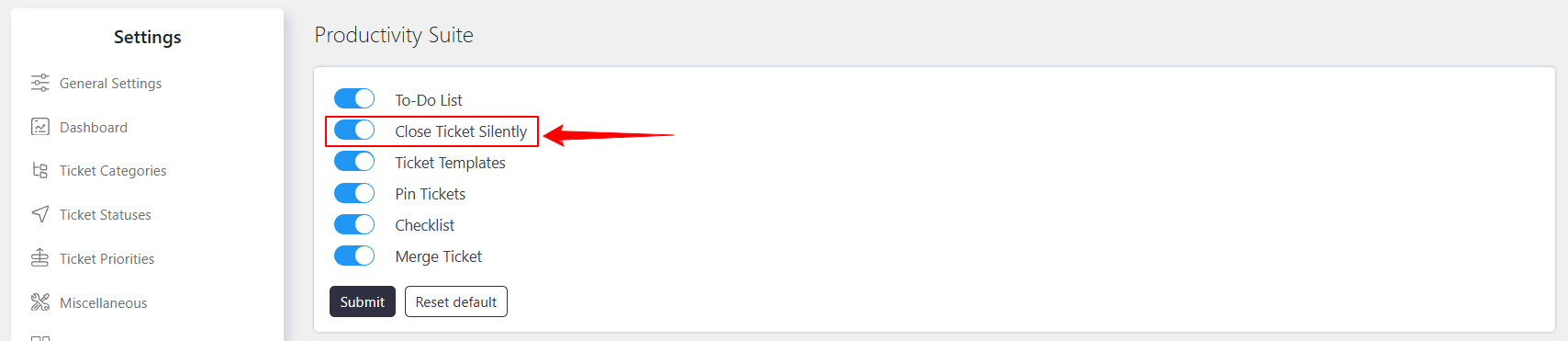
Enable the feature from Support → Settings → Productivity Suite → Close Ticket Silently.
How It Works
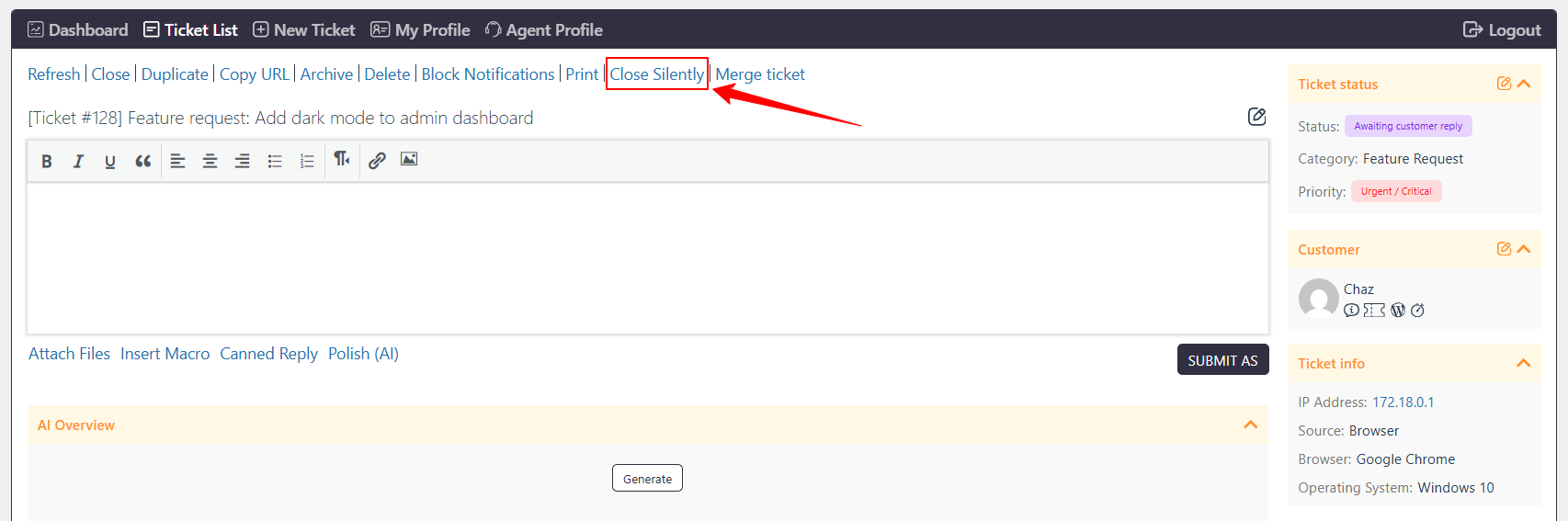
When the feature is enabled, the Close Ticket Silently option becomes available on the Ticket page. Support Agents can use this option to close a Ticket without sending notifications.
If a Ticket is closed silently, a Satisfaction Survey will not be triggered for that Ticket.
How to Enable
- Go to Support → Settings → Productivity Suite → Close Ticket Silently.
- Enable the Close Ticket Silently feature.
- Save the settings.
How to Use
- Open the Ticket you want to close.
- Use the Close Ticket Silently option.
- The Ticket will be closed without sending notifications.
- The Satisfaction Survey will not be triggered for the silently closed Ticket.
Example
If an Agent needs to close a Ticket internally without notifying the customer, the Agent can use Close Ticket Silently. The Ticket will be closed without sending notifications, and no Satisfaction Survey will be triggered.
Notes / Tips
If a silently closed Ticket is reopened, it becomes a normal Ticket. When closing it again, you must use Close Ticket Silently if you do not want to notify the customer. Otherwise, the customer will be notified.