Overview
The Automatic Close Tickets add-on allows you to send email notifications to customers before their inactive tickets are automatically closed.
You can create multiple notification templates and configure when each notification should be sent before the ticket is closed. If the customer replies to the ticket, the ticket is no longer considered for automatic closing.
Where to Find
Go to Support → Email Notifications → Automatic Close Tickets.
How It Works
The system checks tickets that are eligible for automatic closing and sends the configured email notification before the ticket reaches the auto-close period.
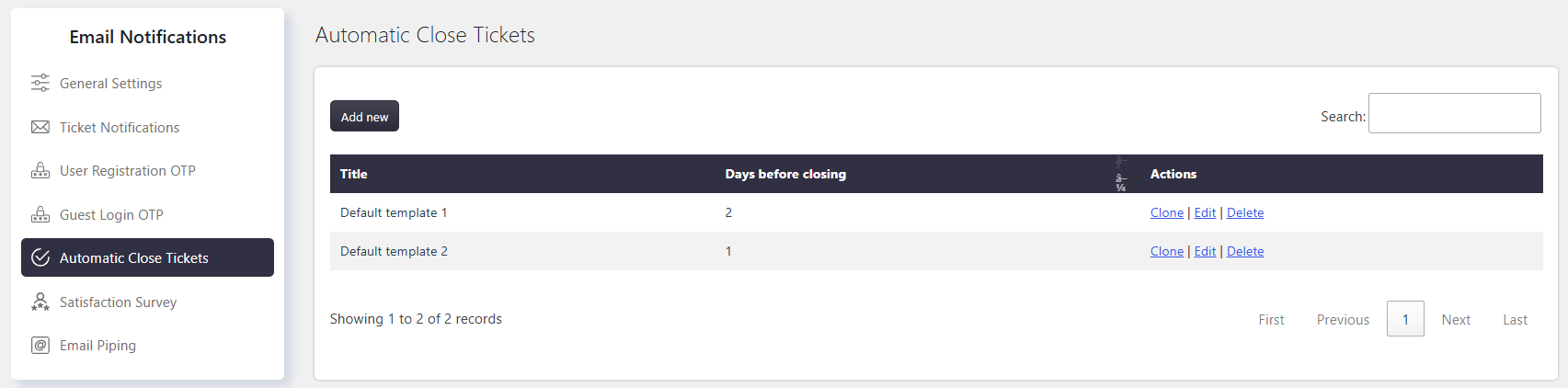
You can create multiple notifications with different Days Before Closing values. For example, you can send one reminder 3 days before closing and another 1 day before closing.
If the customer responds to the ticket, the ticket is no longer considered for automatic closing.
Options / Settings
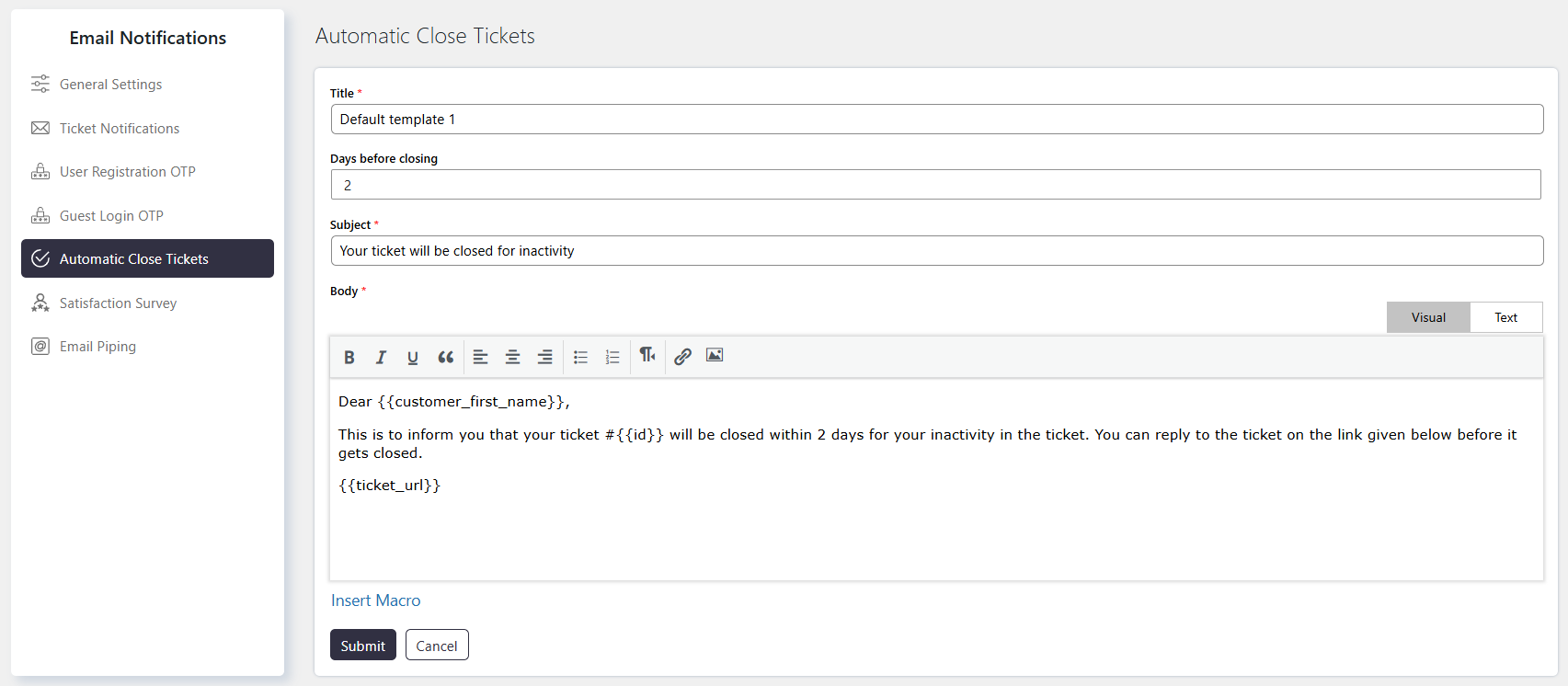
Title
Enter a title to identify the email notification template.
Days Before Closing
Specify how many days before the ticket is automatically closed the notification should be sent.
Subject
Enter the subject of the email notification.
Body
Create the email notification content using available macros.
Macros can be used to insert ticket and customer information, including:
- Customer name
- Ticket subject
- Ticket category
- Ticket history
- Default ticket fields
- Custom ticket fields
Use the available macros to personalize the notification and provide relevant ticket information to the customer.