
Overview
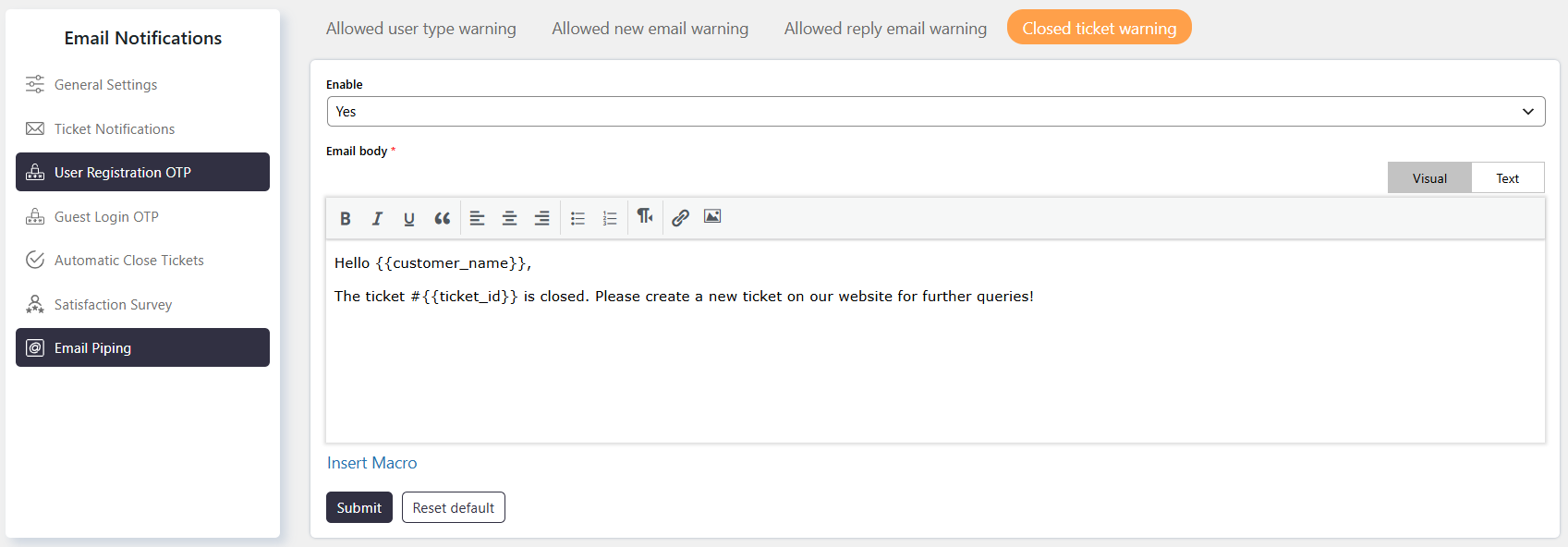
The Closed Ticket Warning notification is sent when a user replies to a closed ticket through email piping while replying to closed tickets is disabled.
This notification informs the user that their reply cannot be processed because replies to closed tickets are not allowed.
Where to Find
Go to Support → Email Notifications → Email Piping → Closed Ticket Warning.
How It Works
When Allow reply to closed tickets is disabled, users cannot reply to closed tickets through email piping.
If a user attempts to reply to a closed ticket by email, the system sends the Closed Ticket Warning notification.
Step-by-Step Guide
- Go to Support → Settings → Miscellaneous → Advanced.
- Locate Allow reply to closed tickets.
- Disable the setting to prevent users from replying to closed tickets.
- Go to Support → Email Notifications → Email Piping → Closed Ticket Warning.
- Configure the warning notification as required.
- Save the notification settings.
Options / Settings
Allow reply to closed tickets Controls whether users can reply to closed tickets.
- Enabled – Users can reply to closed tickets.
- Disabled – Users cannot reply to closed tickets. When a user attempts to reply through email piping, the Closed Ticket Warning notification is sent.
Example
If Allow reply to closed tickets is disabled and a user replies to a closed ticket through email piping, the system will not process the reply and will send the Closed Ticket Warning notification.
Notes / Tips
- The Closed Ticket Warning applies when replying to closed tickets is disabled.
- Configure Allow reply to closed tickets from Support → Settings → Miscellaneous → Advanced.
- Customize the warning notification from Support → Email Notifications → Email Piping → Closed Ticket Warning.