
Overview
The To-Do List feature allows Support Agents to create personal task lists for individual tickets. It helps Agents organize their work, track pending tasks, and ensure important steps are not missed while resolving a ticket.
Where to Find
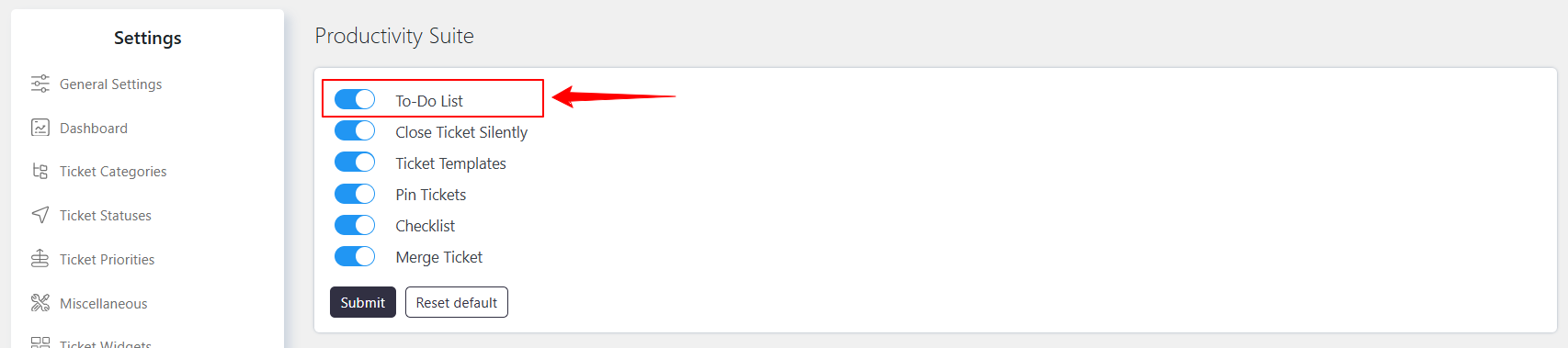
- Enable the feature from Support → Settings → Productivity Suite → To-Do List.
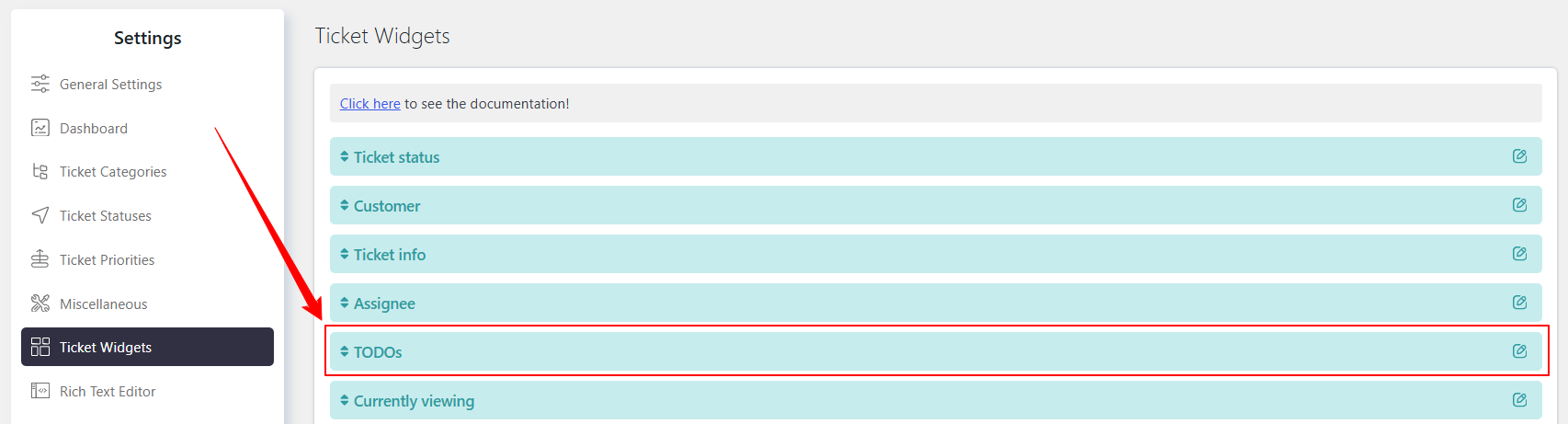
- Enable the widget from Support → Settings → Ticket Widgets → My To-Do.
How It Works
The To-Do List is specific to each ticket and allows Support Agents to create and manage their own tasks. These tasks are personal to the Agent and the ticket where they were created.
To use the feature, the To-Do List setting and the My To-Do widget must be enabled.
How to Enable the Widget
- Go to Support → Settings → Ticket Widgets → My To-Do.
- Enable the My To-Do widget.
- Save the settings.
Accessing and Using the To-Do List
Once enabled:
- Open the required ticket.
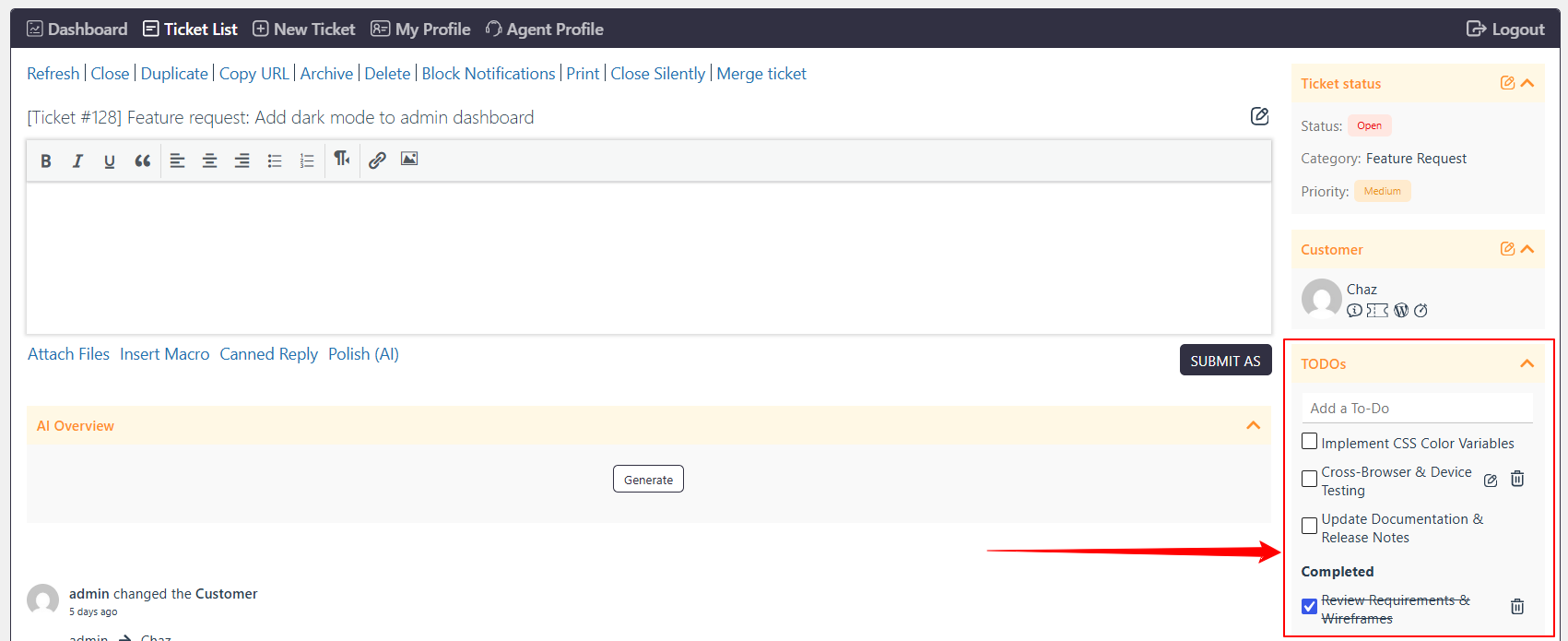
- Locate the My To-Do widget on the ticket page.
- Add the tasks that need to be completed for that ticket.
- Manage the tasks as you work on the ticket.
- Complete the tasks as the required actions are finished.
Example
An Agent is handling a customer issue that requires multiple steps:
- Verify the customer’s account.
- Check the reported issue.
- Apply the required solution.
- Confirm the solution with the customer.
The Agent can add these tasks to the My To-Do widget and track them while working on the ticket.
Note
- To-Do lists are specific to the ticket where they are created.
- To-Do lists are personal to the Support Agent.
- Tasks cannot be transferred or applied to other tickets.
- The My To-Do widget must be enabled to access the To-Do List from the ticket page.
Benefits
The To-Do List helps Support Agents organize ticket-specific tasks, avoid missing important actions, and manage ticket resolution more efficiently.