
Overview
The Print Template setting allows you to customize the layout and content of the PDF generated for printing. The template is divided into three sections: Header, Body, and Footer.
Where to Find
Go to Support → Settings → Print → Template.
How It Works
You can customize the font size, height, and content of each section of the PDF template. You can also use Insert Macro to insert supported macros into the Header, Body, or Footer.
Options / Settings
Header
The Header section controls the content and appearance of the PDF header.
- Header height (px): Defines the height of the PDF header in pixels.
- Header font size (px): Defines the font size of the header text in pixels.
- Header: Allows you to customize the header content. You can use Insert Macro and insert images as required.
- Insert Macro: Allows you to insert a supported macro into the header content.
Body
The Body section controls the main content of the PDF.
- Body font size (px): Defines the font size of the body content in pixels.
- Body *: Allows you to customize the main PDF content. You can use Insert Macro and insert images as required.
- Insert Macro: Allows you to insert a supported macro into the body content.
Footer
The Footer section controls the content and appearance of the PDF footer.
- Footer height (px): Defines the height of the PDF footer in pixels.
- Footer font size (px): Defines the font size of the footer text in pixels.
- Footer: Allows you to customize the footer content. You can use Insert Macro and insert images as required.
- Insert Macro: Allows you to insert a supported macro into the footer content.
Using Insert Macro
Insert Macro allows you to insert available macros into the template content. Macros can be used in the Header, Body, and Footer to display dynamic ticket information in the generated PDF.
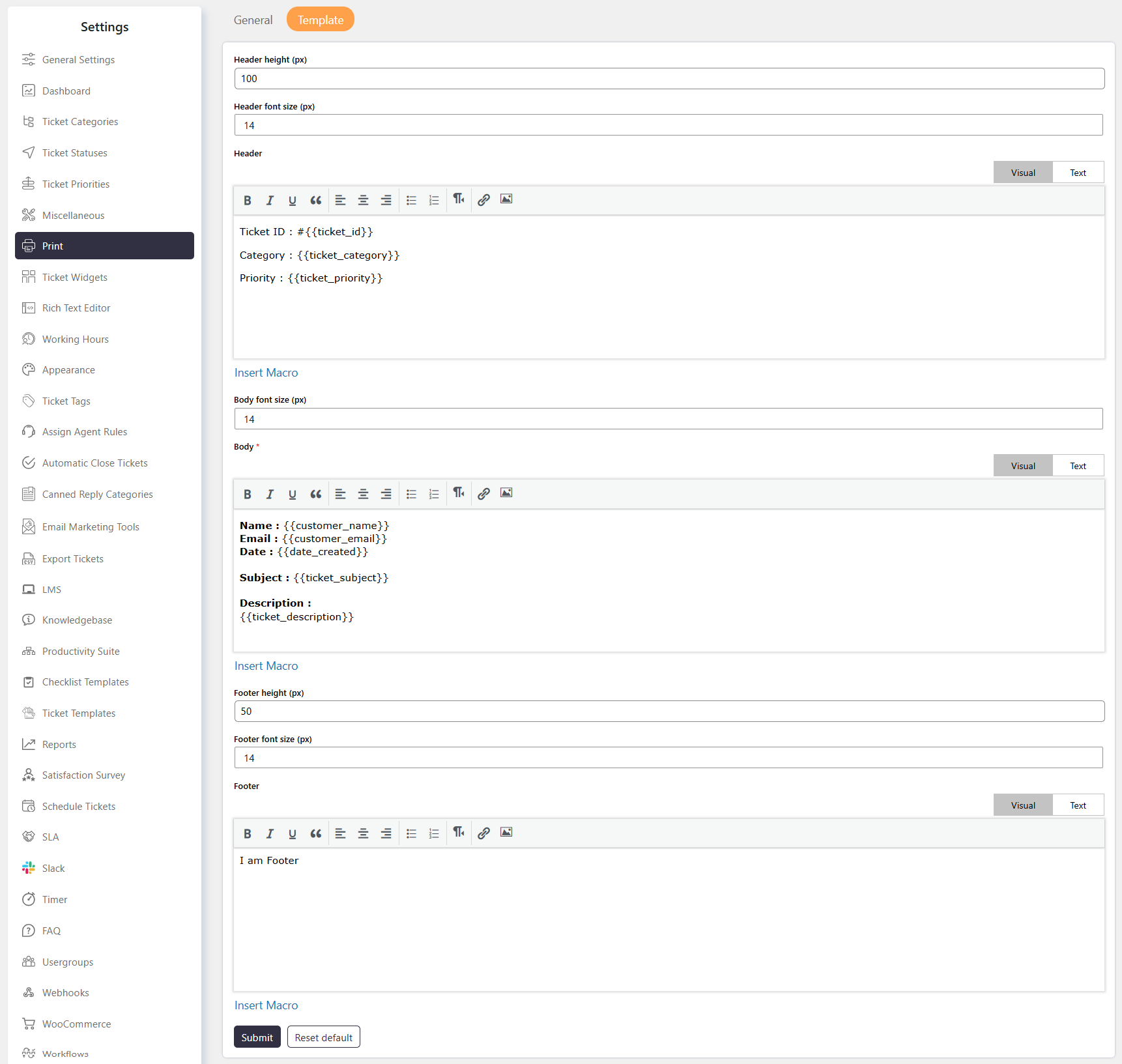
Example
You can use the Header for the ticket title or company information, the Body for ticket details, and the Footer for additional information such as ticket metadata.
Note
- The Header, Body, and Footer can be customized independently.
- Insert Macro is available for inserting supported macros into the template content.
- Header height (px) and Footer height (px) control the respective section heights.
- Body * is the main content area of the PDF template.