
Overview
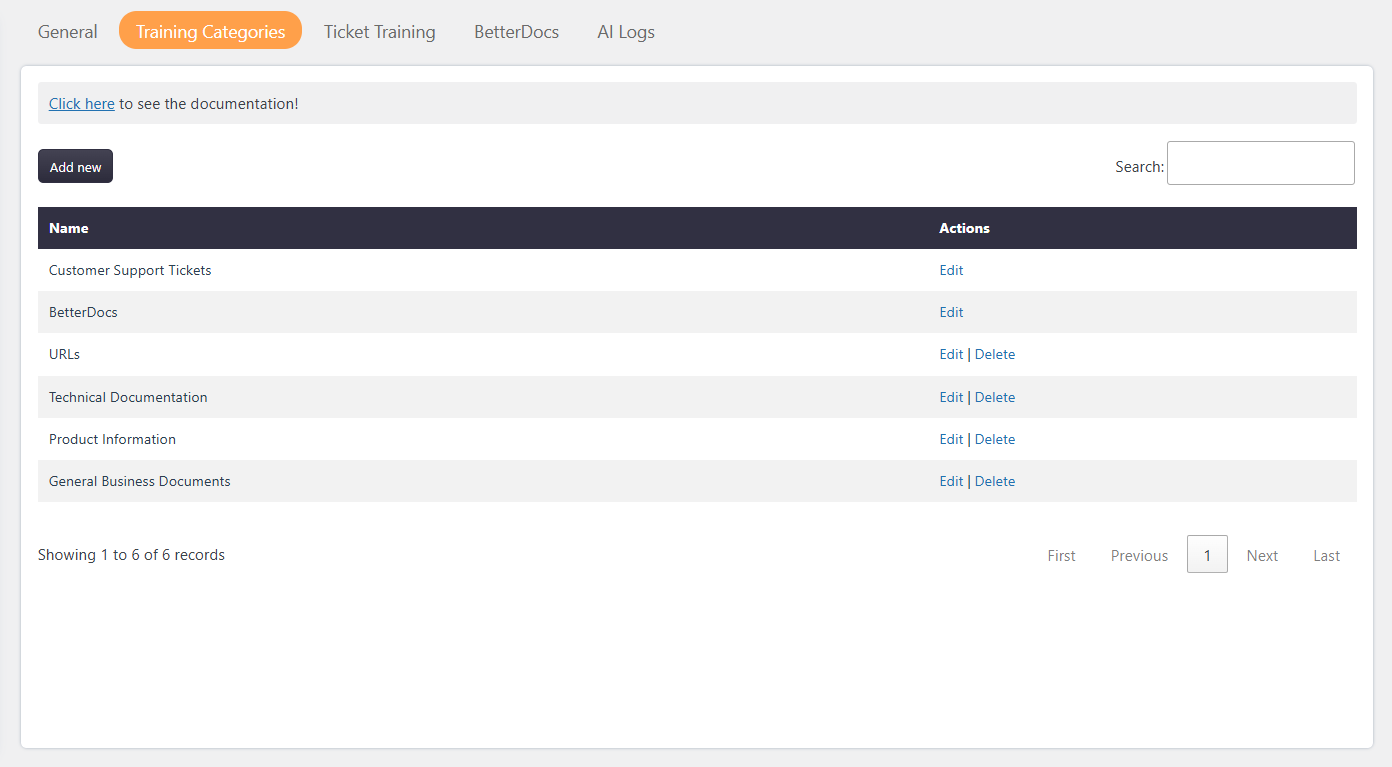
The Training Categories feature helps organize AI training data into meaningful groups. Categories make it easier to manage, filter, and identify different types of training content used by the AI Assistant.
Administrators can create custom categories based on their business needs such as Support Tickets, Technical Documentation, Product Information, URLs, Educational content or any other training source.
Where to Find
Support → Settings → AI Assistant → Training categories
How It Works
The Training Categories system allows administrators to:
- Create custom categories for AI training data
- Organize different types of training sources
- Assign categories to training items
- Edit existing categories
- Delete unused categories
- Manage training data in a structured way
Each category acts as a container for related AI training items.
For example:
- Support-related conversations can be assigned to Customer Support Tickets
- Documentation content can be assigned to Technical Documentation
- Website links can be assigned to URLs
This improves training data organization and makes category-based management easier.
Step-by-Step Guide
- Navigate to:
Support → Settings → AI Assistant → Training Categories - Click the Add new button.
- Enter the category name.
- Save the category.
- The new category will appear in the categories table.
Notes / Tips
- Categories can be created based on any business requirement.
- Multiple training items can be assigned to the same category.
- Unused categories can be edited or deleted anytime. While deleting if category is assigned to any training then category must be replace with another category before deleting.
- Proper category organization helps maintain cleaner AI training datasets.