Overview
The General settings section enables CSV export for Tickets. It allows users to export Tickets based on the filters applied in the Ticket list.
Only Tickets accessible to the logged-in user can be exported. This ensures users can export only the Tickets they are allowed to access.
The export does not include attachments, descriptions, private credentials, or replies.
Where to Find
Go to Support → Settings → Export Tickets to configure the Ticket export settings.
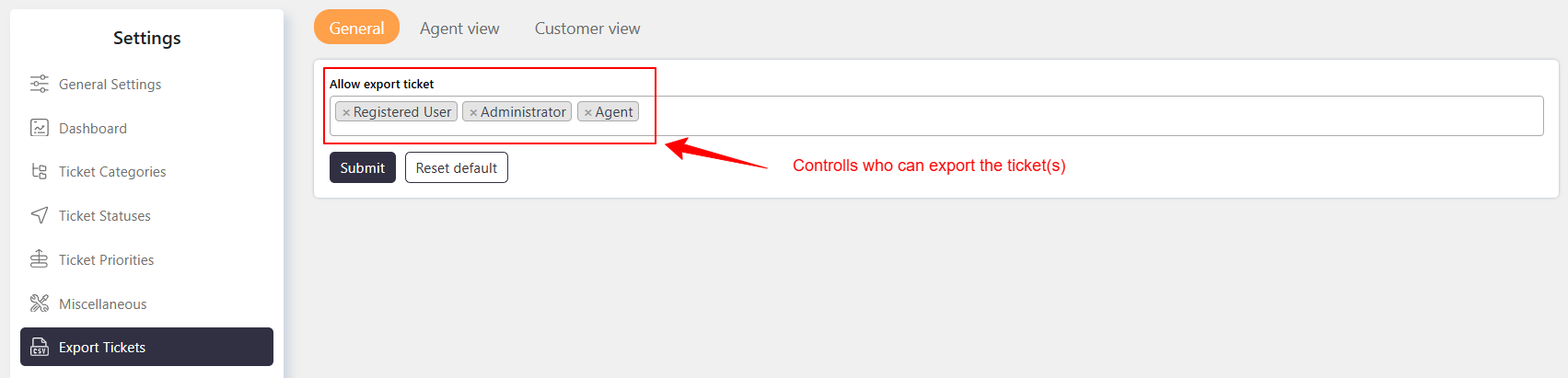
Allow export ticket
Use Allow export ticket to select which user roles can export Tickets.
You can enable Ticket export for:
- Support Agents
- Registered users
- Guests
Export Tickets
You can export Tickets based on the current filters in the Ticket list.
- Apply filters to export only specific Tickets.
- Do not apply filters to export all accessible Tickets.
The export includes only Tickets accessible to the logged-in user.
For example:
- Agent can export Tickets accessible to them.
- Customer can export their own Tickets.
- Administrator can export all Tickets.
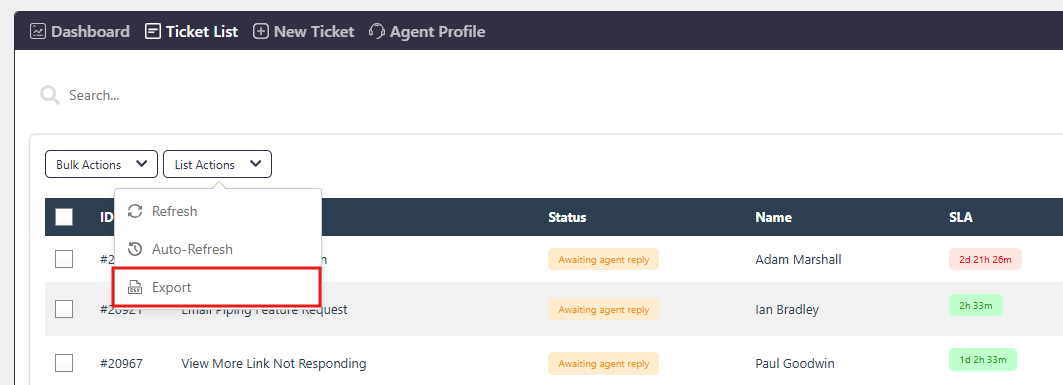
Where you can export ticket
You can find the Export option in the List action menu on the Ticket list.