
Overview
A Usergroup allows you to group customers who belong to the same organization or company. You can assign one or more Supervisors to a Usergroup. Supervisors are group members with additional permission to view all Tickets created by other group members.
Where to Find
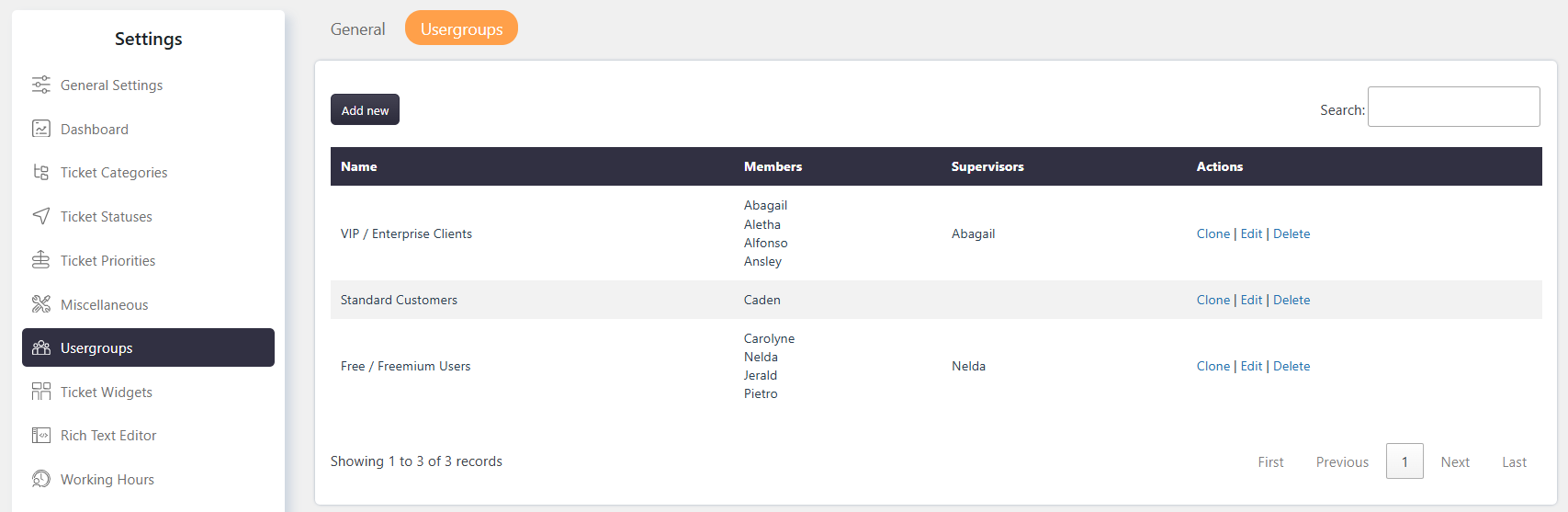
Go to Support → Settings → Usergroups.
How It Works
Usergroups organize customers based on their organization or company. A Usergroup can have one or more Supervisors who can view Tickets created by other members of the group.
- Supervisors can view all Tickets created by group members.
- A user can belong to more than one Usergroup.
- A Supervisor can belong to more than one Usergroup.
- You can appoint one Supervisor or multiple Supervisors, including all group members if required.
- Regular users cannot view Tickets assigned to other group members, while Supervisors can view them.
Email Notifications
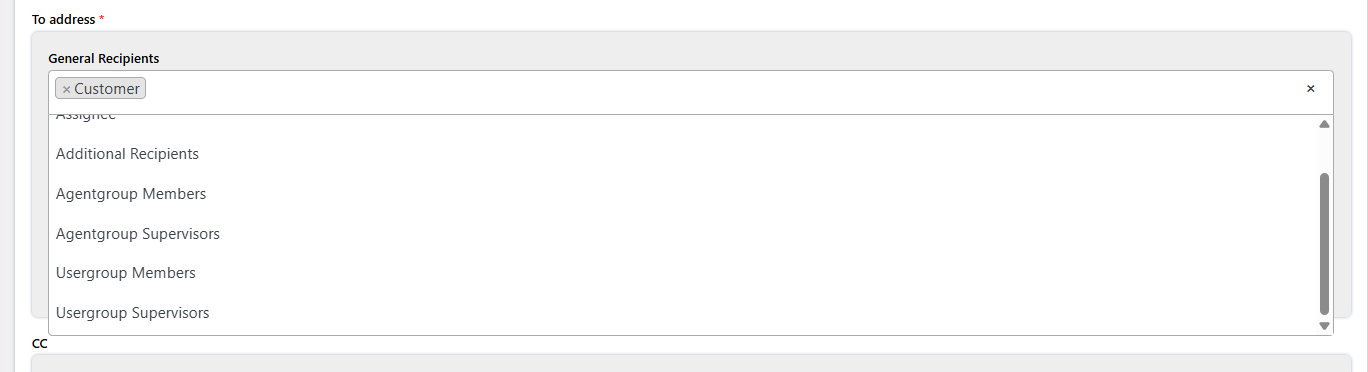
When a Usergroup is assigned to a Ticket, email notifications for Ticket events can be sent to either usergroup members or usergroup supervisors.
You can add usergroup members or usergroup supervisors as recipients when configuring the relevant email notifications.
Usergroup Widget
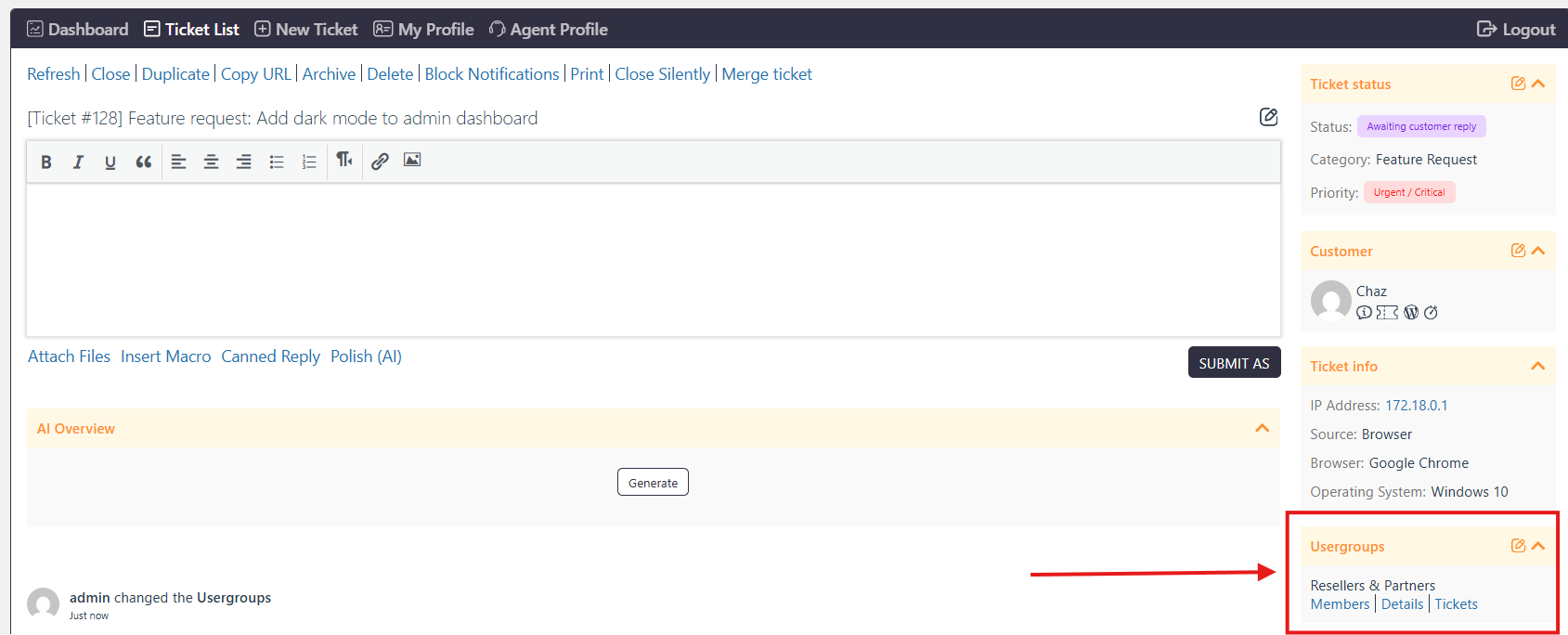
The Usergroup Widget allows users with access to the widget to view and manage the Usergroup associated with a Ticket.
To configure the widget:
- Go to Support → Settings → Ticket Widgets → Usergroup.
- Enable or disable the Usergroup widget.
- Configure access for Support Agents and Customers.
Users who have access to the widget can:
- Change the Usergroup associated with the Ticket.
- View all members of the Usergroup.
Example
If multiple customers belong to the same company, you can create a Usergroup for that company and add the customers as group members. You can assign one or more members as Supervisors so they can view Tickets created by other members of the group.
Notes / Tips
- A user can belong to multiple Usergroups.
- A Supervisor must be a member of the Usergroup.
- Supervisors can view Tickets created by all members of their Usergroup.
- Access to the Usergroup Widget can be configured separately for Support Agents and Customers.