
Overview
The AI Assistant is included with the Core SupportCandy Addon. It designed to boost agent efficiency and elevate your customer experience.
Before using AI Assistant features, you must enable the AI Assistant from SupportCandy settings.
Where to Find
Go to Support → Settings → AI Assistant -> AI Assistant
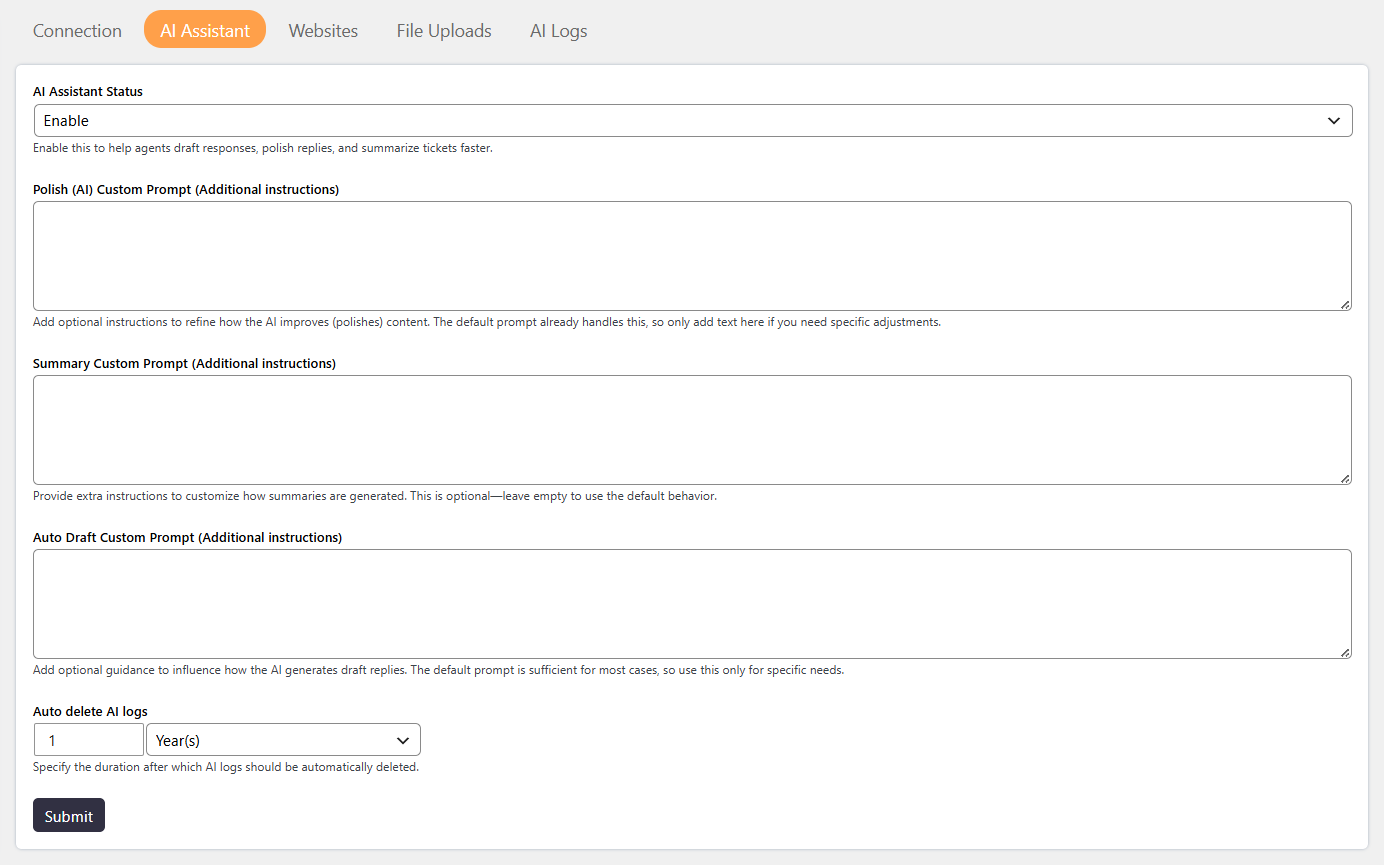
How It Works
The AI Assistant Status controls whether the AI Assistant is enabled in SupportCandy.
When the AI Assistant is enabled, agents can access AI-powered features from the ticket editor, including:
- Auto Draft Replies — helps agents create ticket replies.
- Instant Ticket Summaries — provides summaries of ticket conversations.
- Polished Replies — improves ticket replies based on the configured settings.
To provide AI Assistant with additional knowledge, you can train it using your website content, post types from local and external website, URLs, Files (text or PDF).
Step-by-Step Guide
- Go to Support → Settings → AI Assistant→ AI Assistant.
- Find the AI Assistant Status setting.
- Set AI Assistant Status to Enabled.
- Add Custom Prompts (optional).
- Configure Auto Delete AI Logs.
- Click Save.
- To train the AI Assistant with additional knowledge, open the AI training or RAG settings and upload or synchronize the required content.
Options / Settings
- Maintaining a consistent tone (for example, professional or friendly).
- Adding company-specific instructions.
- Controlling how replies should be written.
- Defining the summary format (bullet points or paragraph).
- Controlling the level of detail.
- Focusing on key information only.
- Maintaining your company’s tone and communication style.
- Ensuring polite and well-structured replies.
- Adding standard phrases or additional instructions.
- Days
- Months
- Years
Example
For example, if AI Assistant Status is set to Enabled, website visitors can use AI Assistant features on your website and resolve their issue without creating a support ticket.
Notes / Tips
- The AI Assistant Status must be Enabled before using AI Assistant features.
- Click Save after changing the AI Assistant status.
- Use relevant and accurate content when training the AI Assistant.
- Keep your training or RAG content updated so the AI Assistant can provide relevant answers.
- AI Assistant features are available within the ticket editor after the feature is enabled.
- Enable automatic log deletion to help manage your database size.