
Overview
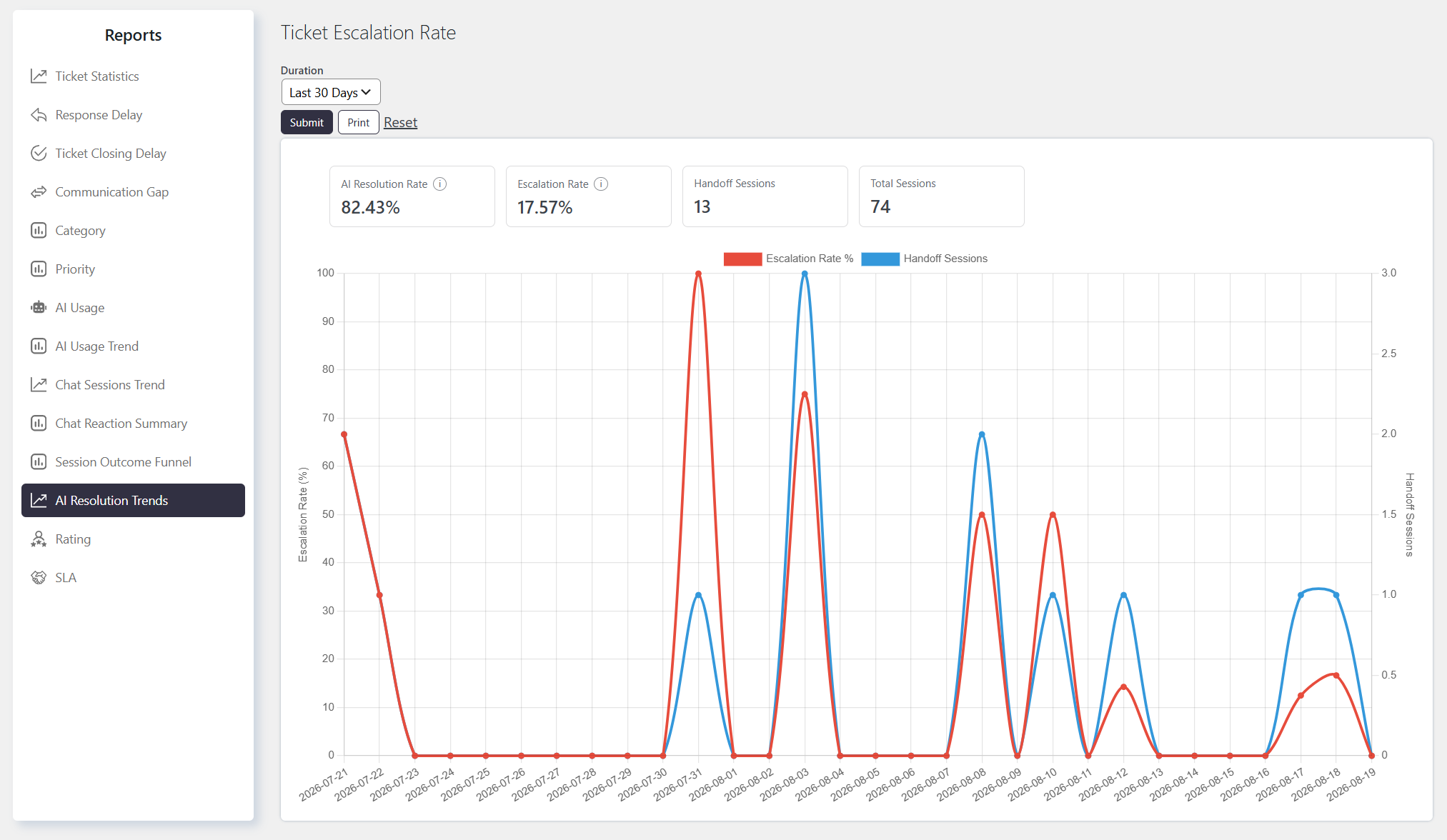
The Ticket Escalation Rate (AI Resolution Trends) report tracks how often chatbot sessions needed to be escalated to a human agent versus handled without one. It plots the escalation rate and handoff volume over your selected date range, giving you a high-level read on how much load the bot is deflecting from your agents versus passing along.
Where to Find
Go to Support → Reports → AI Resolution Trends
How It Works
The report displays a graph with the following types of data:
- AI Resolution Rate – Percentage of chatbot sessions resolved by the bot without handoff.
- Escalation Rate % – the percentage of sessions in each time bucket that were handed off to a human agent
- Handoff Sessions – the raw count of sessions handed off in each time bucket
- Total Sessions – Total chat sessions in the selected time period
Both are plotted as a line chart with two Y-axes (percentage on one side, session count on the other) over the selected period, bucketed by day/week/month/year depending on the duration you choose.
You can select a predefined duration or choose a custom date range. You can also apply custom filters to generate more specific results.
Filtering the Report
You can generate the report for different time periods, such as:
- Last 30 days
- This week
- Last quarter
Notes / Tips
- “AI Resolution Rate” is just the inverse of Escalation Rate (100% − Escalation Rate%), not an independent measure of successful resolution. It doesn’t check whether a session was actually marked “Resolved” — it only checks whether it wasn’t handed off.
- Abandoned sessions are counted as “resolved” here. Since only Handoff status is excluded, a session where the visitor left without getting an answer still counts toward AI Resolution Rate the same as a genuinely bot-resolved one — cross-check against the Session Outcome Funnel report if you need the true Resolved-vs-Abandoned split.
- Escalation Rate and AI Resolution Rate will always sum to exactly 100% by construction — they aren’t two separately measured outcomes, so don’t read them as independent confirmation of each other.
- A rising Handoff Sessions count with a flat Escalation Rate% just means overall chat volume grew, not that the bot got worse — check this report alongside Chat Sessions Trend to tell volume growth apart from an actual drop in bot effectiveness.